Rezza Mohebi Product designer and design engineer, Istanbul About hi@remophix.com
02 · Case study

Pixii

All of Pixii’s design on one system, built for the age of AI.

Client
Pixii, battery energy storage, Norway
Through
Glitch Studios
Role
Designed and built the system
Year
2026
Built with
Claude and Claude Code, on Radix
SOURCES COMPILED SURFACES BUILT INTO LANDS AS FOUNDATION The brand Colour Aa Typeface Wordmark Rules “ Voice EXISTING · BRAND.PIXII.COM Media library SURFACE Dashboard UI Scale, roles, space Status, tokens SURFACE Presentation Archetypes, frames Imagery laws SURFACE Web Under construction SURFACE Documents Datasheets, PDFs Under construction PACKAGE Components @pixii/ui, 49 on Radix Claude Design builds on it PIPELINE · REVIEW LAYER Deck renderer Plan, lint, render Refuse, preview, feedback Screens Fleet dashboards, Cloud Calculator, configurator Decks Any colleague asks Claude On brand, or refused Marketing web Website, landing pages Under construction Documents Datasheets, PDFs Under construction compiled pictures, by catalogue Everything here is published on the portal, where people, code and AI read the same thing.foundation 0.18.0 · ui 0.8.0 · decks 1.0.1

The architecture

One foundation holds the brand: colour, typeface, wordmark, rules and voice, and the brand portal holds the pictures. Two surfaces are compiled from the foundation, one for screens and one for decks, with marketing web and datasheets to come. They are built into the component package and the deck pipeline, which lints, renders, refuses and previews, and they land as screens, decks and the portal that people, code and AI all read.
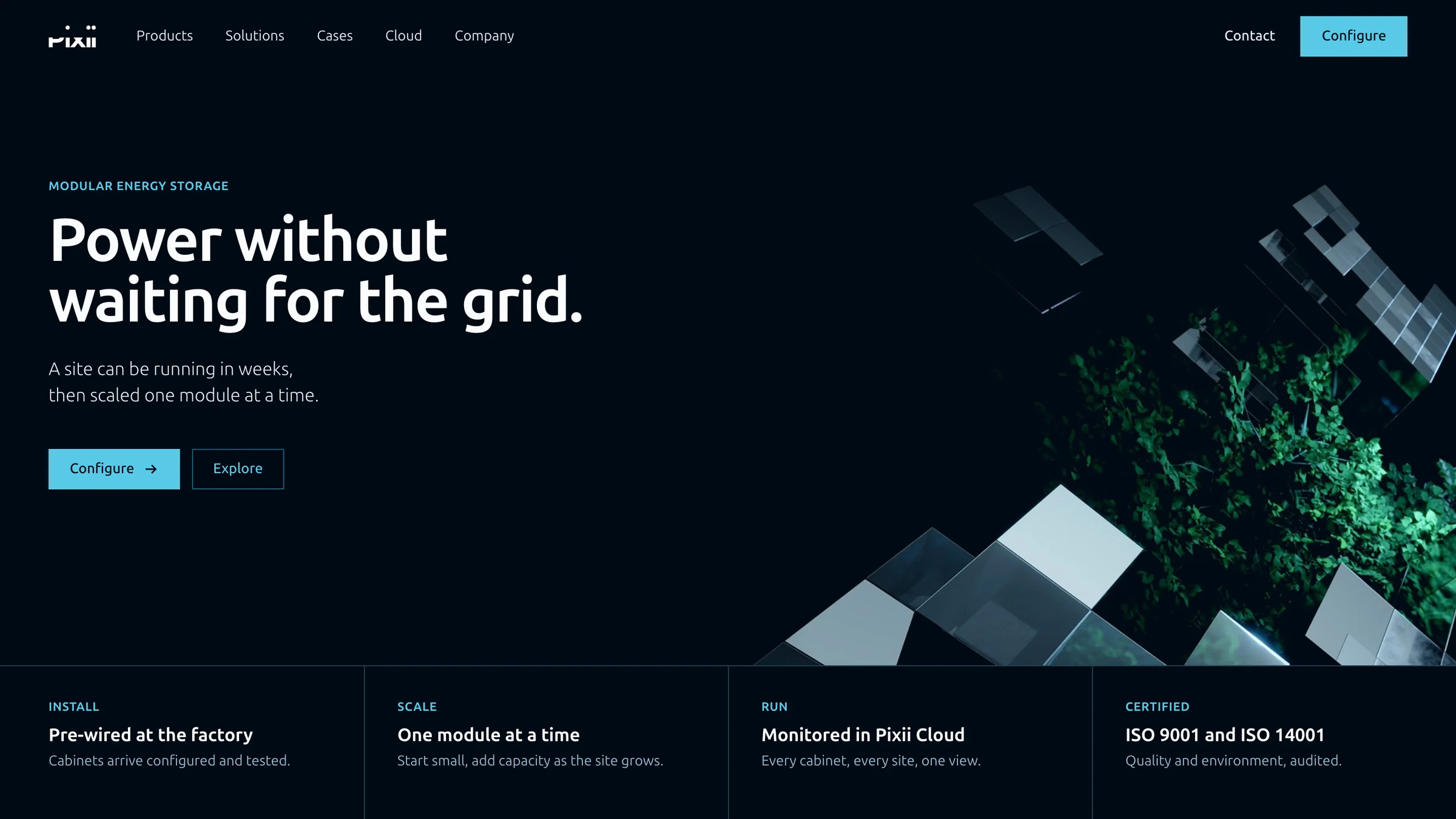
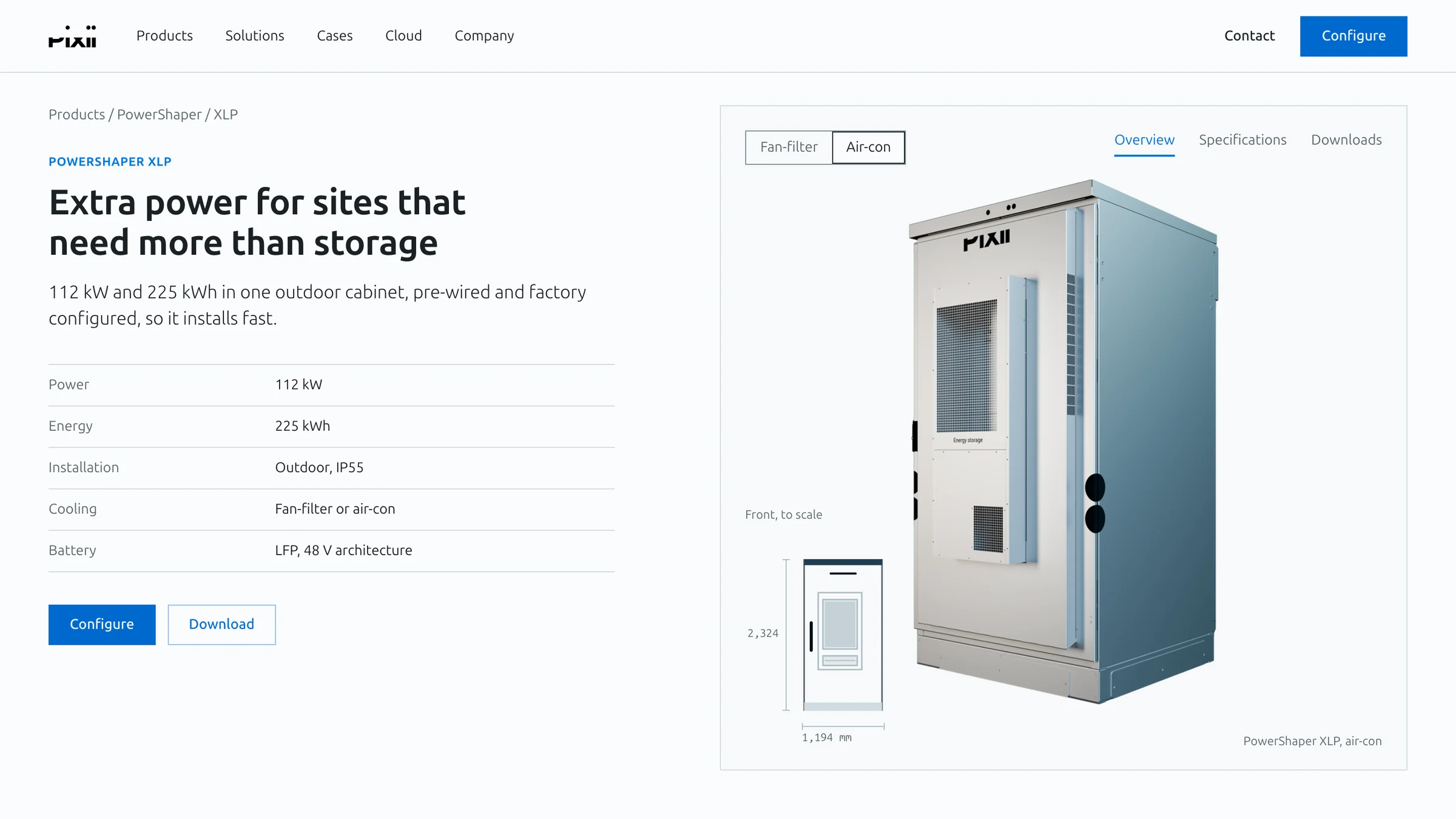
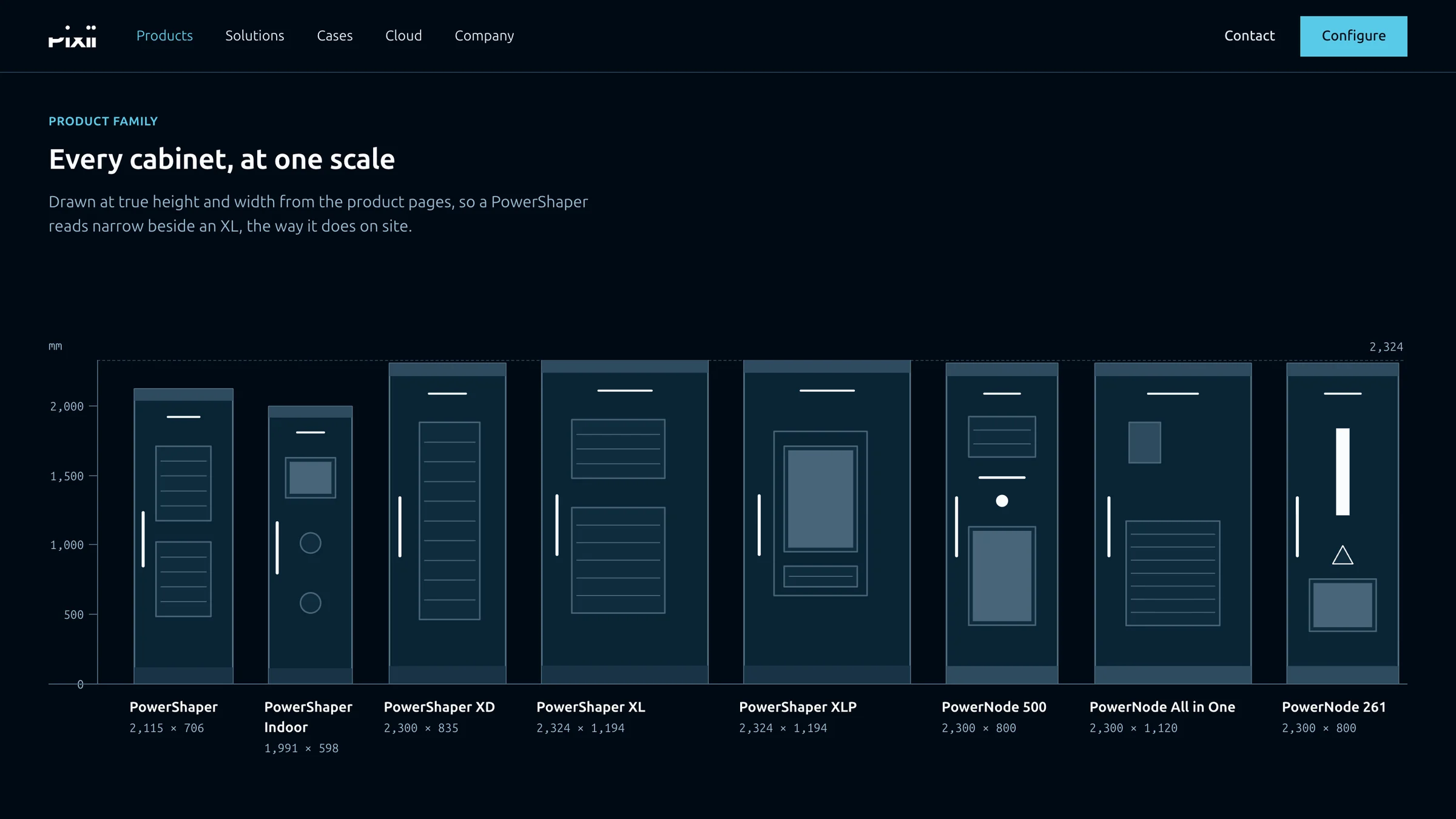
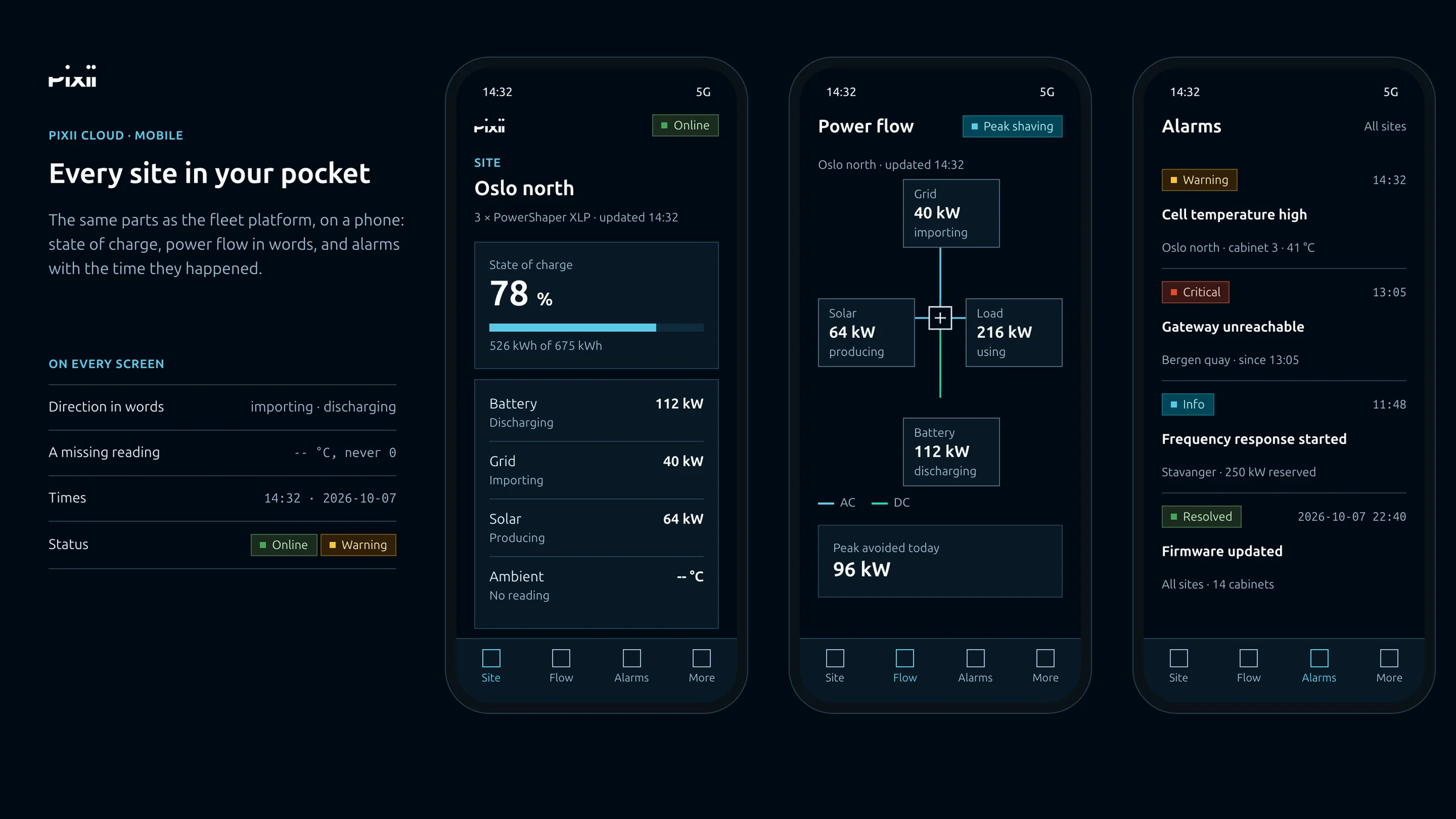
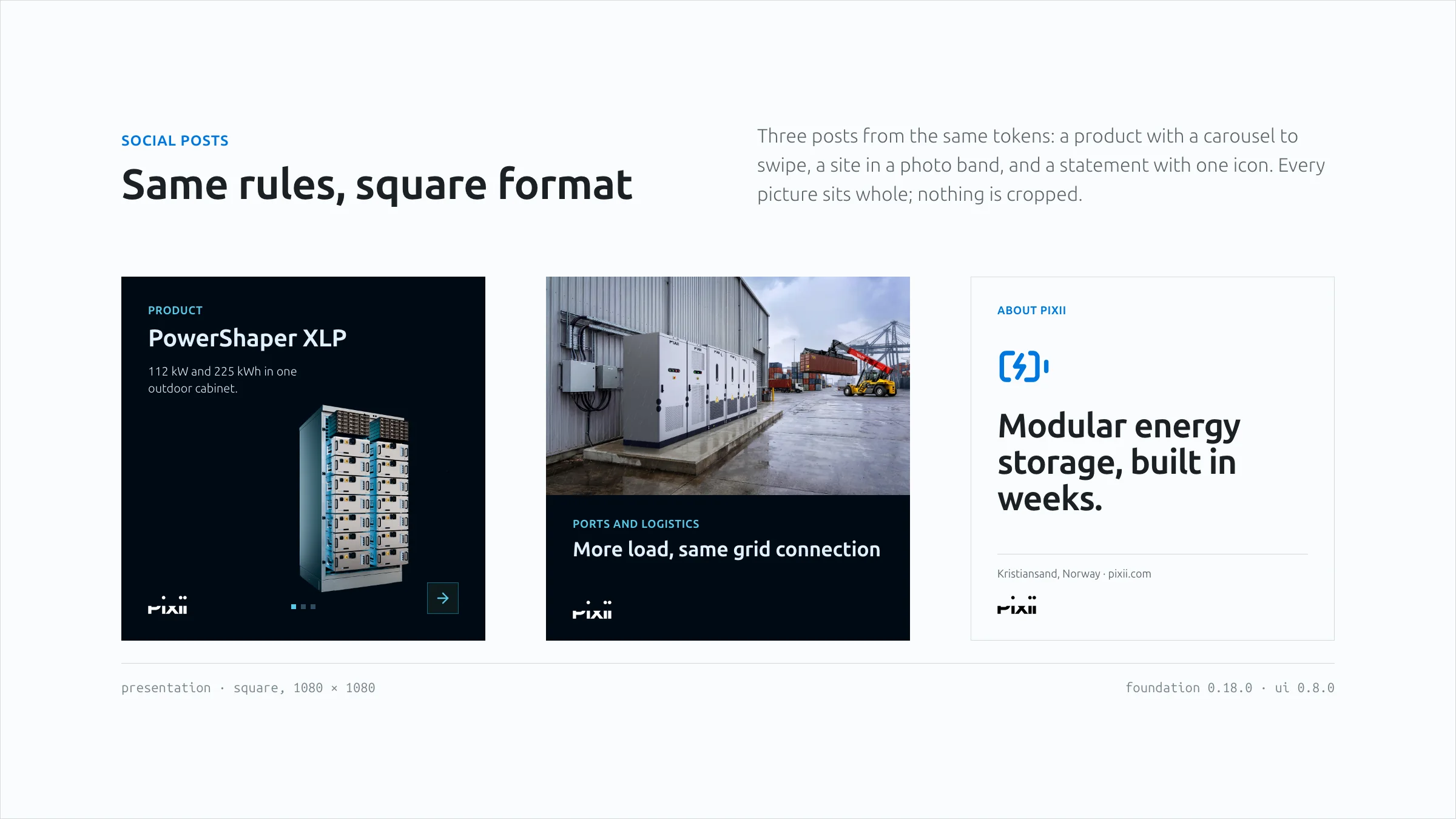
A landing page concept on Pixii black: Power without waiting for the grid, beside the brand's cube key visual, with four facts below. A product page concept for PowerShaper XLP on a light page: the specifications, the cabinet render and a front elevation drawn to scale with its dimensions. Every Pixii cabinet drawn at one scale on one baseline, from PowerShaper to PowerNode, with a millimetre ruler and each true height and width. Three phone screens for Pixii Cloud beside the screen rules they follow: a site with its state of charge, the power flow named in words, and alarms with their times. Three square social posts: a product on Pixii black, a port photo with a black band, and a type-only post on Pixii white.

Concepts

Concepts made from the same system: a landing page, a product page, the product family, a phone app and social posts. Colours, type, rules and the product drawings come from the system, and the photos from Pixii’s brand portal.

Landing page 01 / 05

The work

Pixii’s staff were already making decks and dashboards with AI. The brand lived in guidelines, PDFs and old decks that did not agree, and every person and every AI read them differently. Pixii had as many brands as people using AI.

When everyone designs, a guideline is not enough. So I turned the brand into one system that all of Pixii’s design is made from. Colour, type, layout and voice are decided once, and written so that people, code and AI all read the same thing.

Decks, product screens and AI tools are three places where that one system shows up. Anyone at Pixii can ask Claude for a presentation. The AI decides what to say, the system decides how it looks, and a deck that breaks the brand never comes out. The same system dresses the product screens. Because the brand lives in the system and not in the parts, I could take a proven open-source library (Radix) instead of drawing every button: about fifty parts in days. The colour scales are built on how the eye sees light (OKLCH), so every palette Pixii adds later comes out balanced without hand tuning. And whatever AI tool or developer Pixii uses next starts from the real brand.

One source also means one place to fix: feedback becomes a rule for every deck and screen within a day.

Pixii’s staff now make their own decks and are happy with them. The screen system is delivered, and the team is already building on it.

Before this, Pixii had tried again and again to get on-brand presentations out of AI, and every attempt had failed. At the first review, when the decks came out right:

“It’s a relief to see that it actually is possible to get some control of this monster.”
Solfrid Harbu · CMO, Pixii
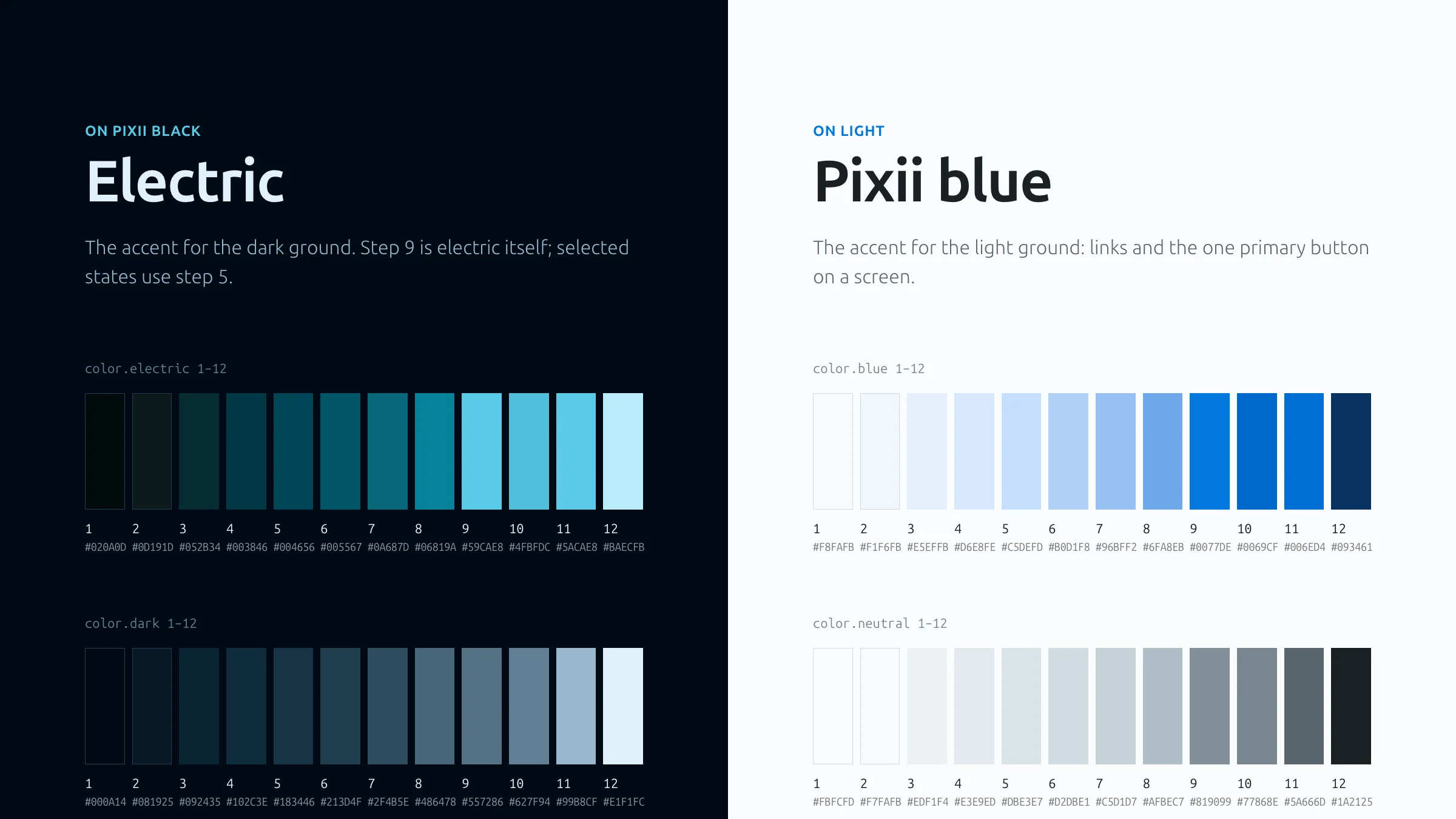
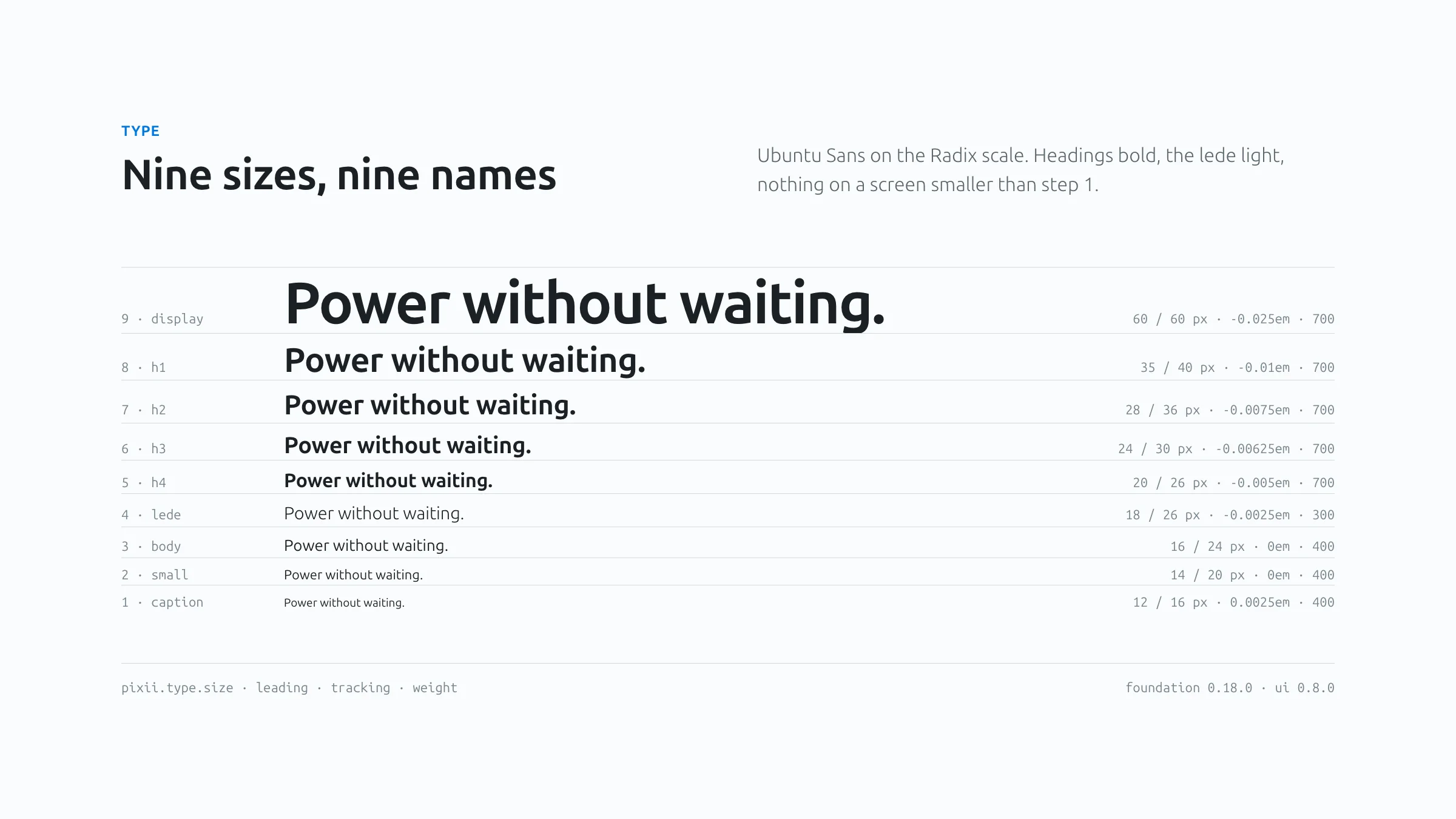
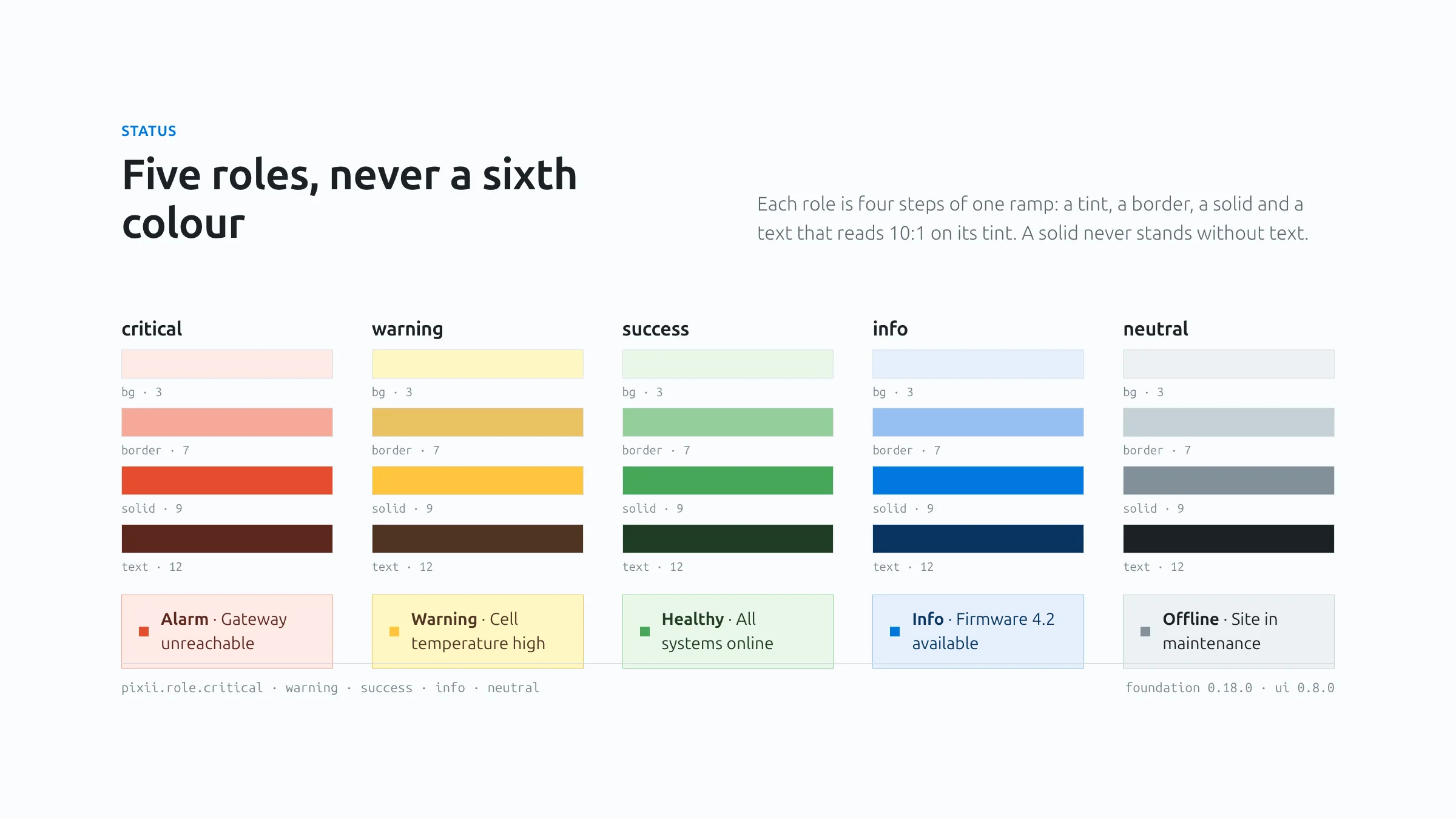
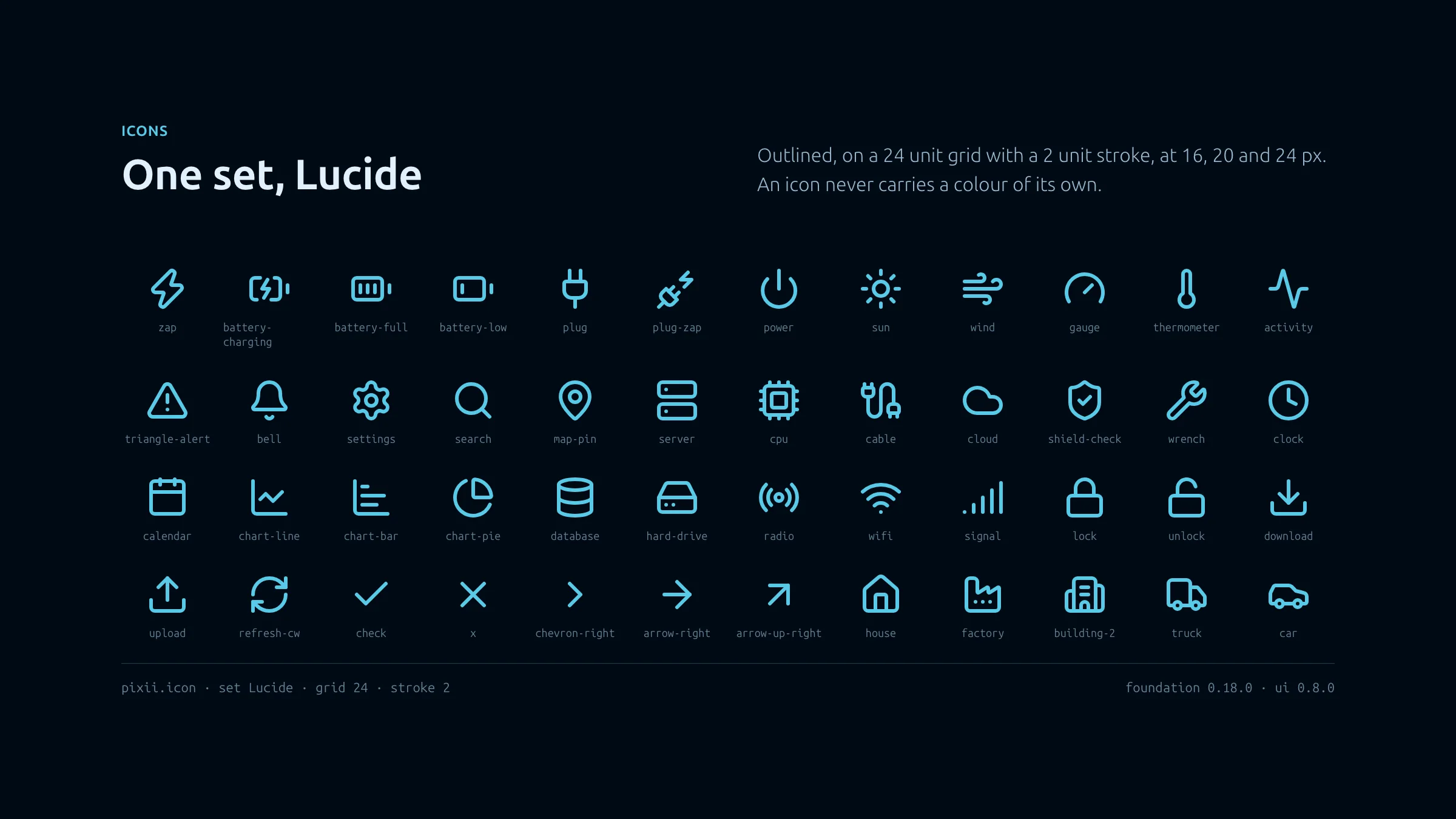
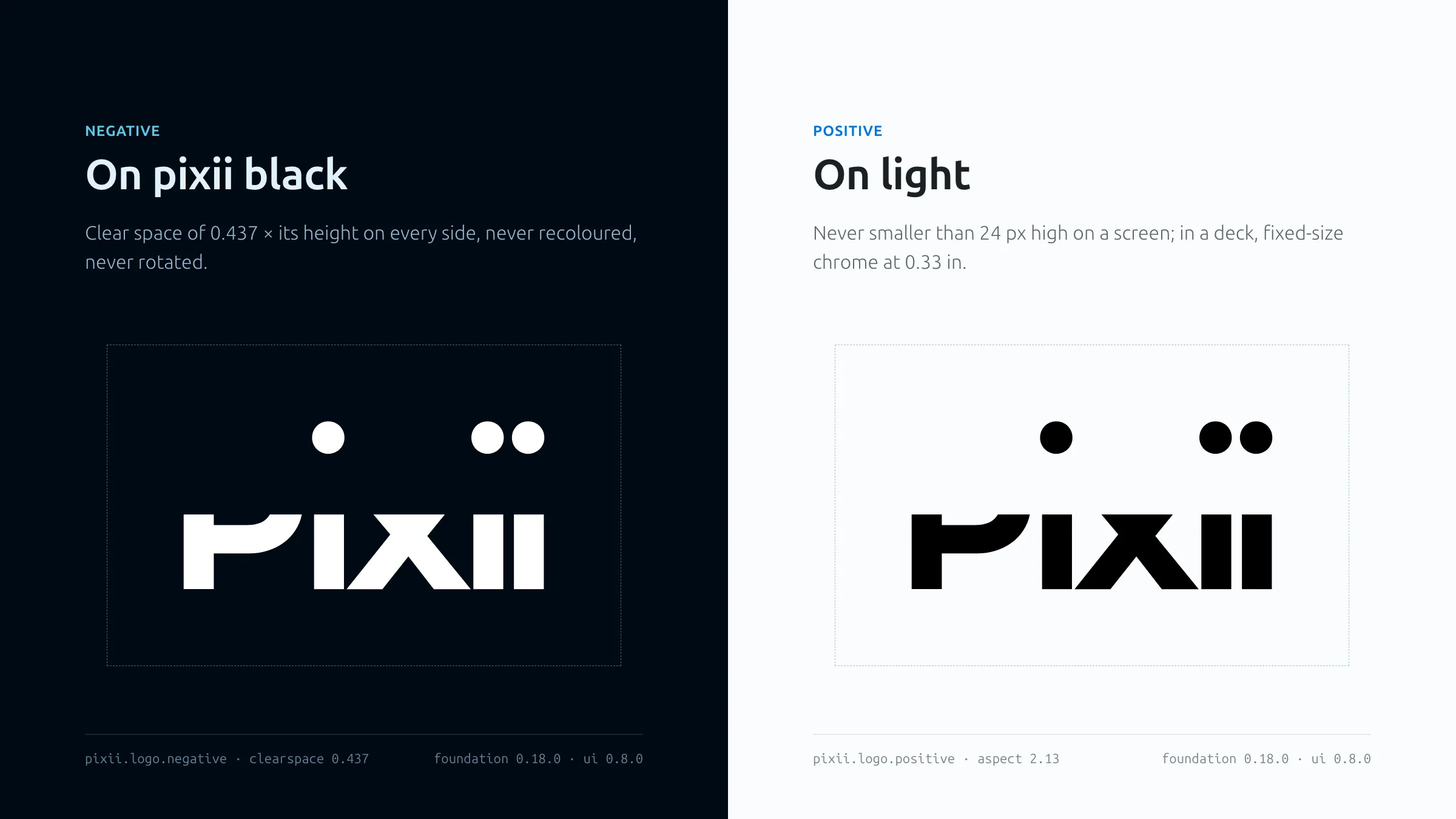
The two grounds and their accents: the twelve steps of electric and the greys on Pixii black, the twelve steps of Pixii blue and the greys on light, each with its hex value. The nine steps of the type scale, from caption at 12 px to display at 60 px, each set in Ubuntu Sans with its size, leading, tracking and weight. Five status roles, critical, warning, success, info and neutral, each made of four steps of one ramp: a tint, a border, a solid and a text, with a live callout for each. Seventy icons from the one set, Lucide, in electric on Pixii black, each with its name. The wordmark negative on Pixii black and positive on light, each inside its dashed clear space of 0.437 times its height.

The system

The elements of the system, drawn from its own tokens: colour, type, status, icons and the wordmark. Every value here is the value the code and the decks use.

Colour 01 / 05
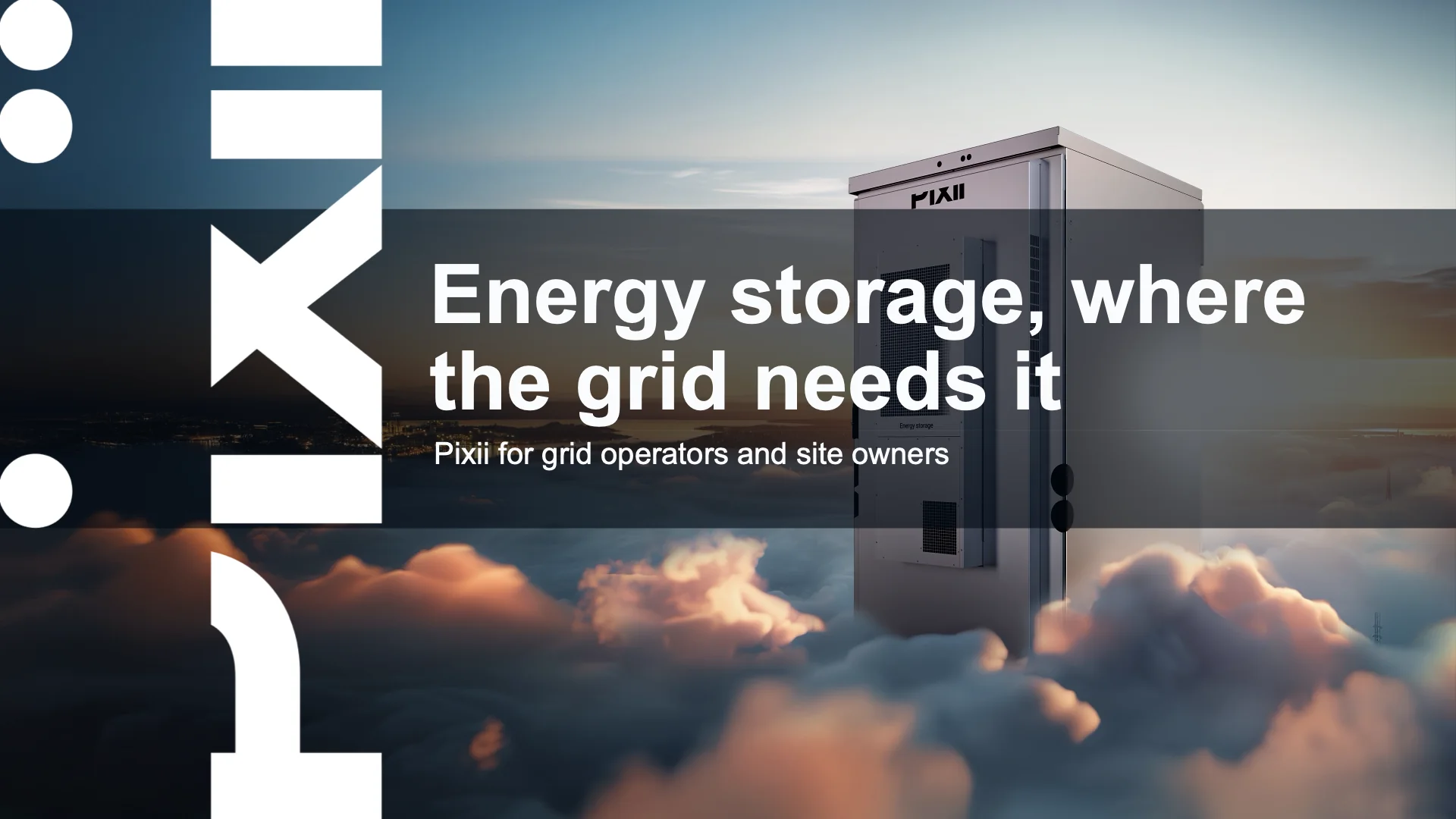
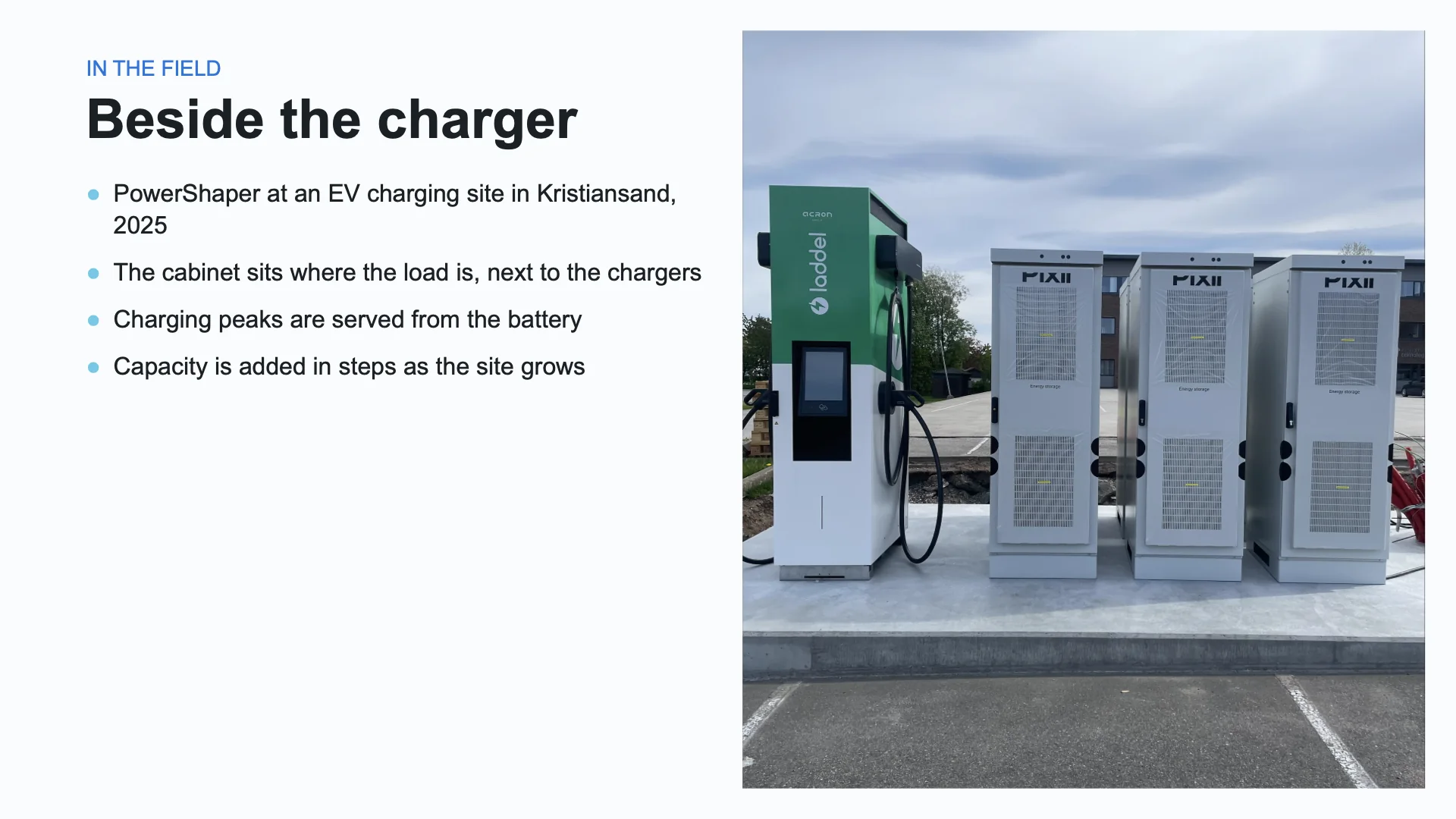
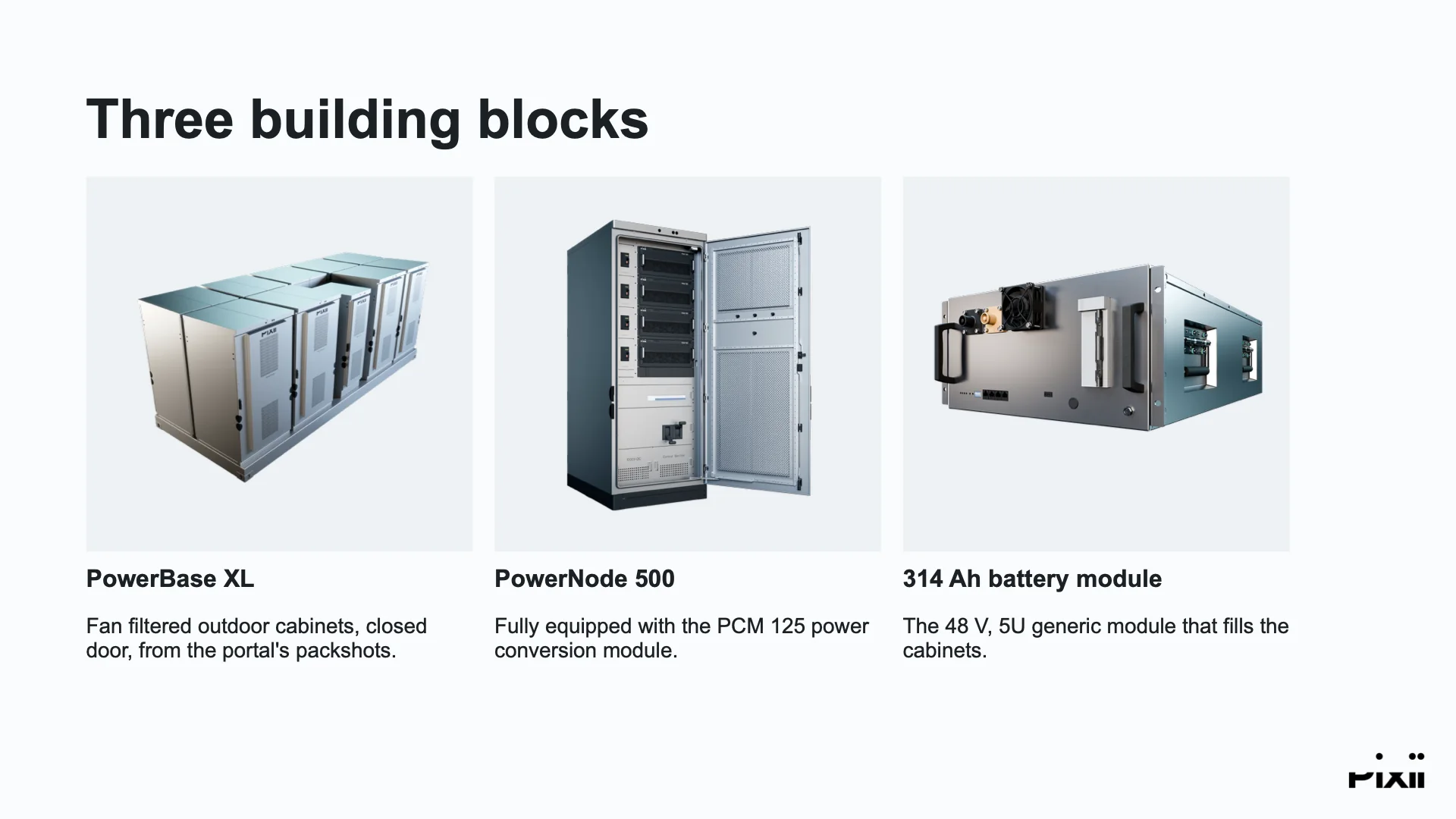
The cover: Energy storage, where the grid needs it, in the title band over the PowerShaper XLP campaign photograph, the wordmark running up the left. A light slide: Beside the charger, a paragraph and three bullets beside a photograph of a PowerBase EV at a Circle K station in Norway, in a box shaped to the photo. Three building blocks: three product cards with transparent packshots of the PowerBase XL, the PowerNode 500 and a 314 Ah battery module. The closer: Thank you over the cover photograph under a dark scrim, with the LinkedIn QR card.

A deck, made by the system

Four slides from one short plan, rendered without a hand on them. Every picture came from Pixii’s brand portal: the cover photo, a site photo in a box shaped to it, three packshots matched by product name, and the closer.

Cover 01 / 04
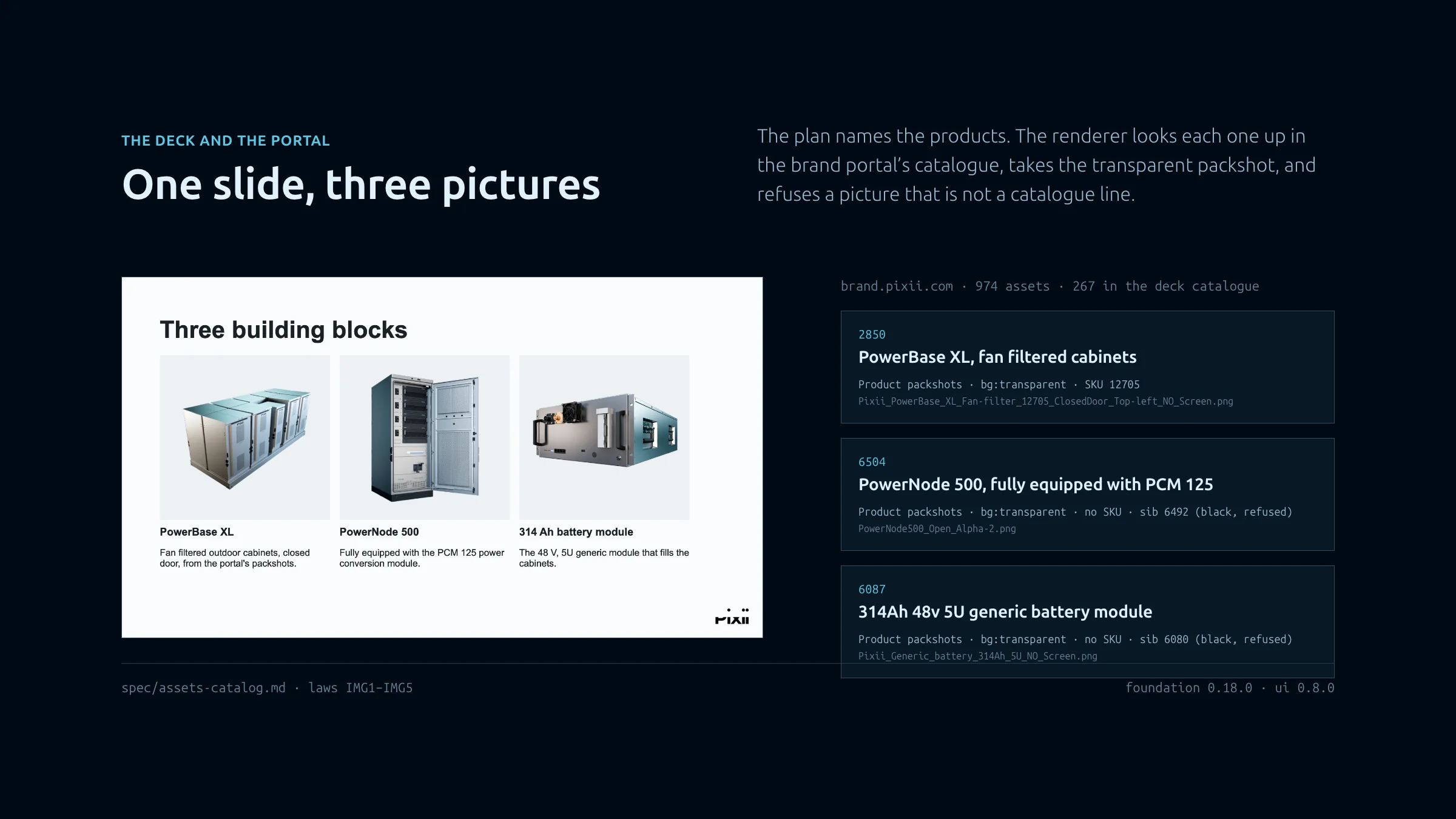
Left, a slide with three product cards. Right, three entries from the brand portal’s catalogue that the slide pulled: id, title, category, background, SKU and file name.

The deck and the portal

How a slide gets its pictures. The plan names the products; the renderer looks each one up in the brand portal’s catalogue, takes the transparent packshot, and refuses any picture that is not a catalogue line. Right, the three entries the slide pulled.

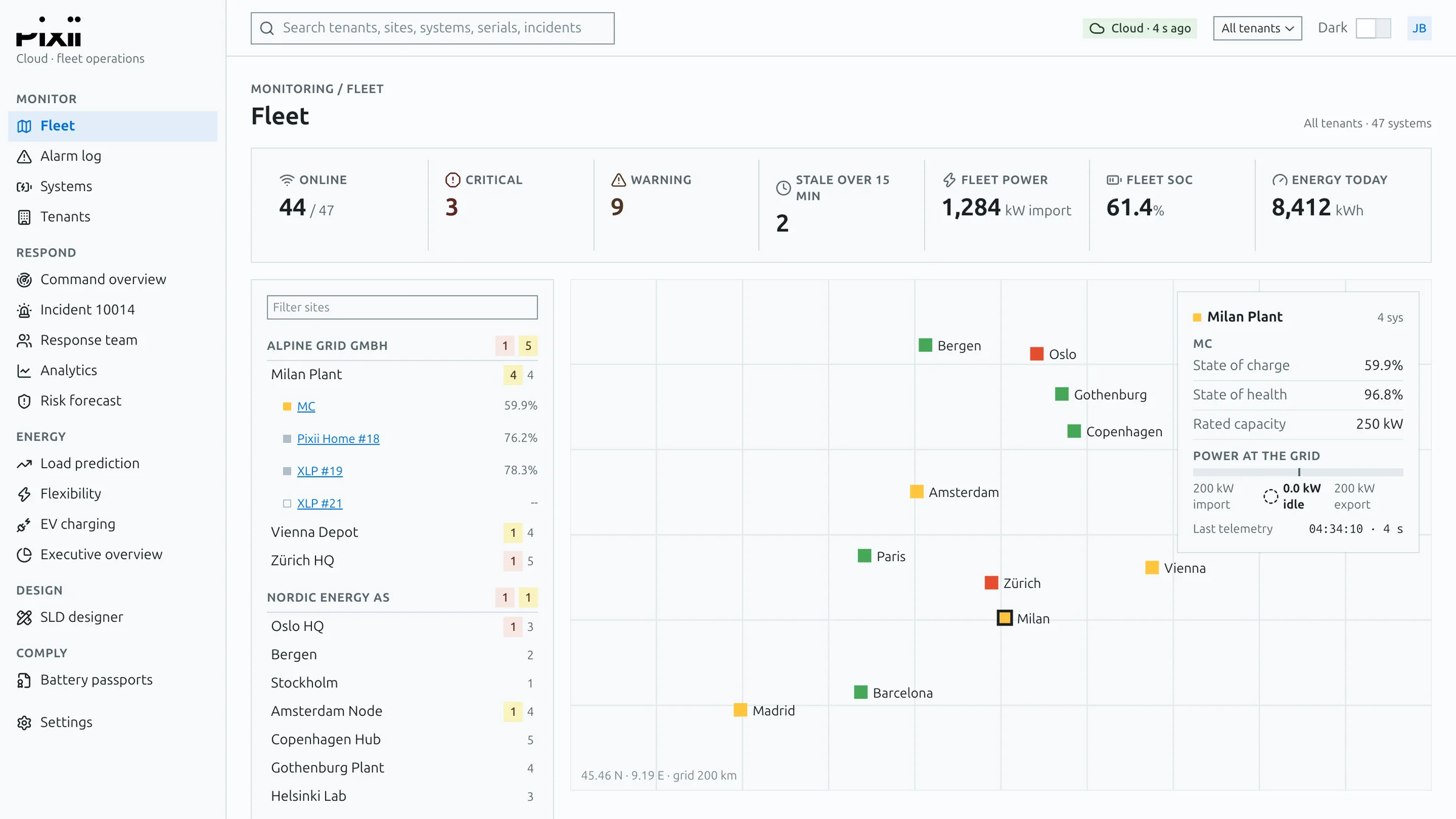
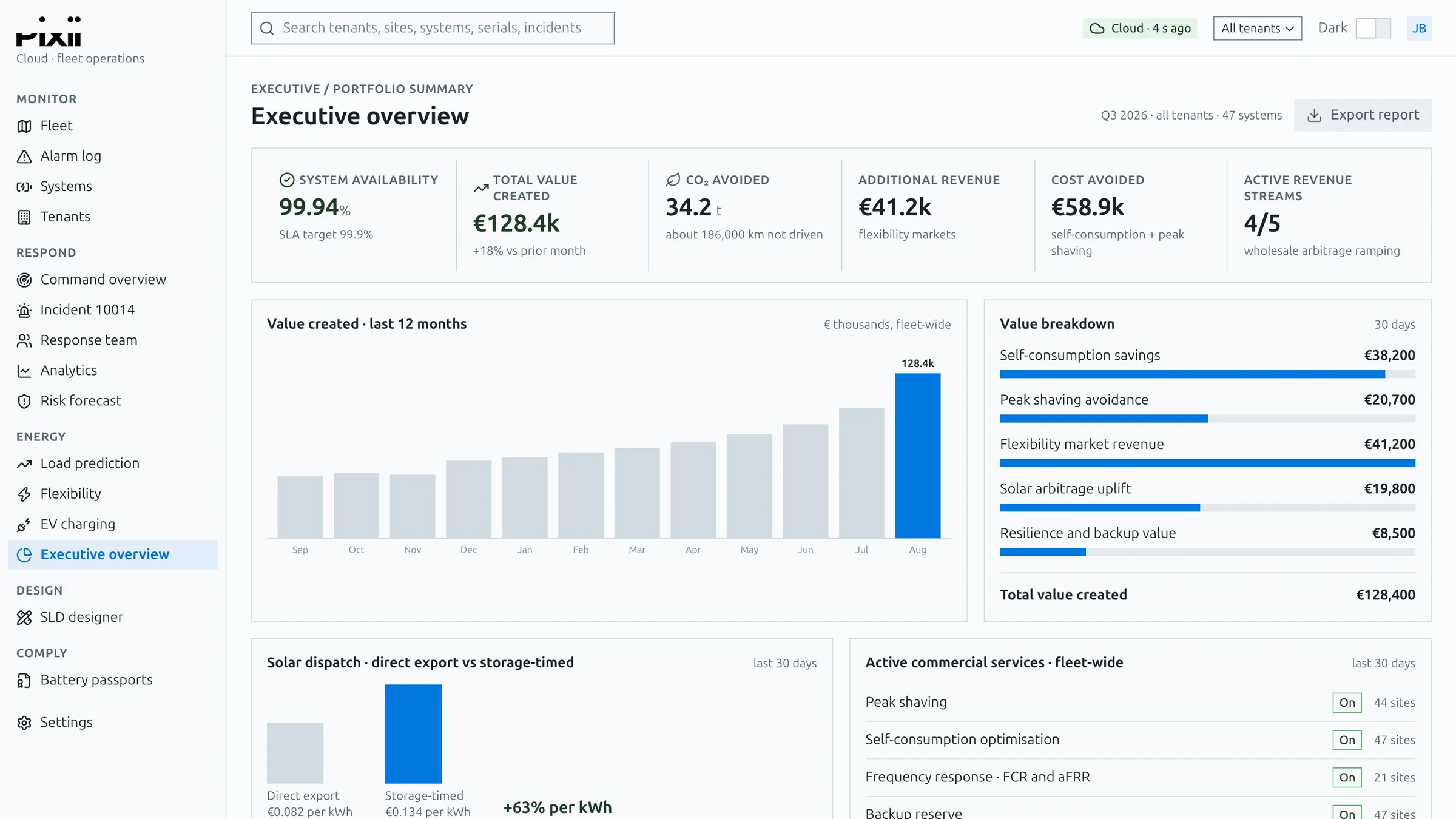
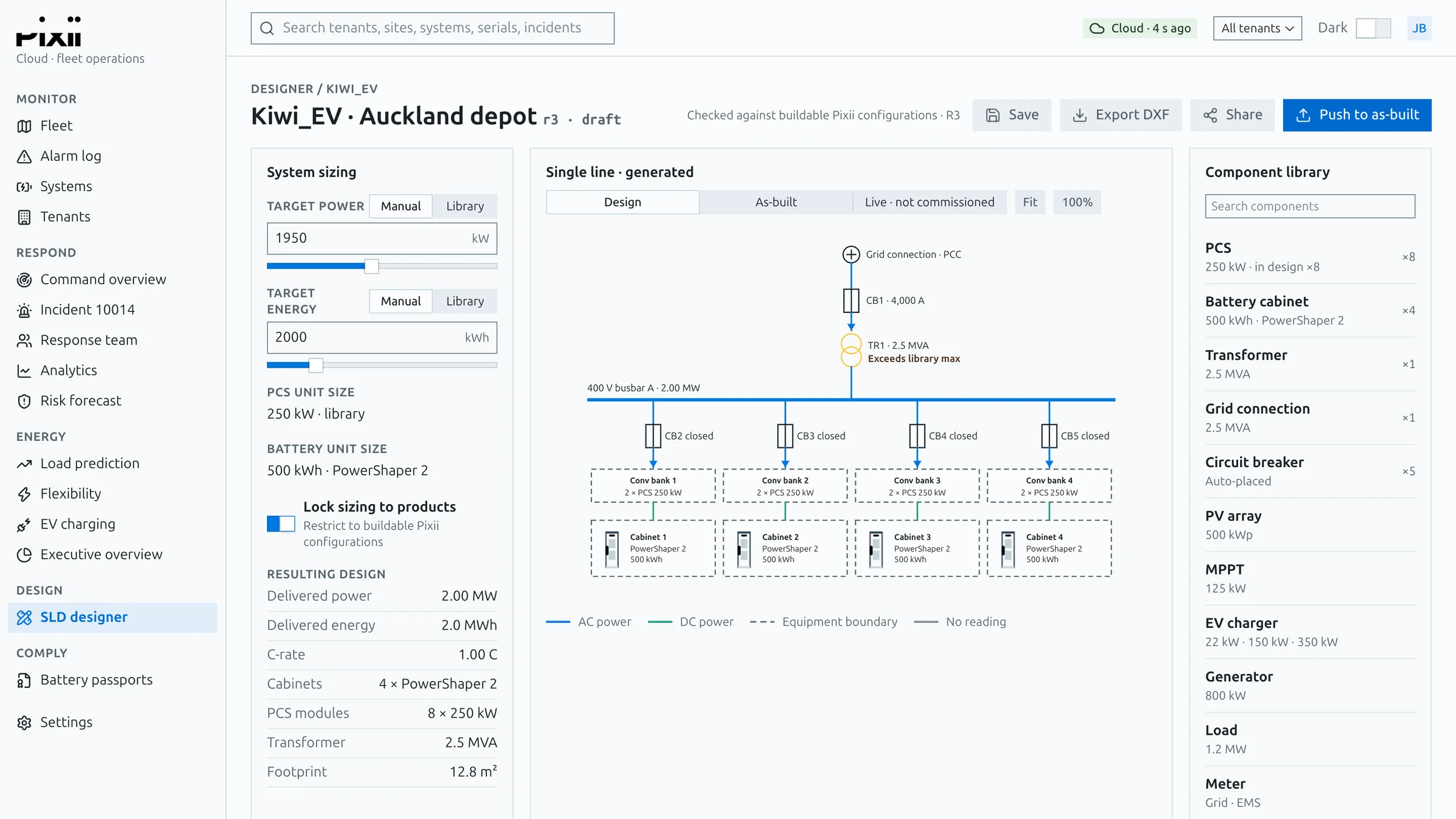
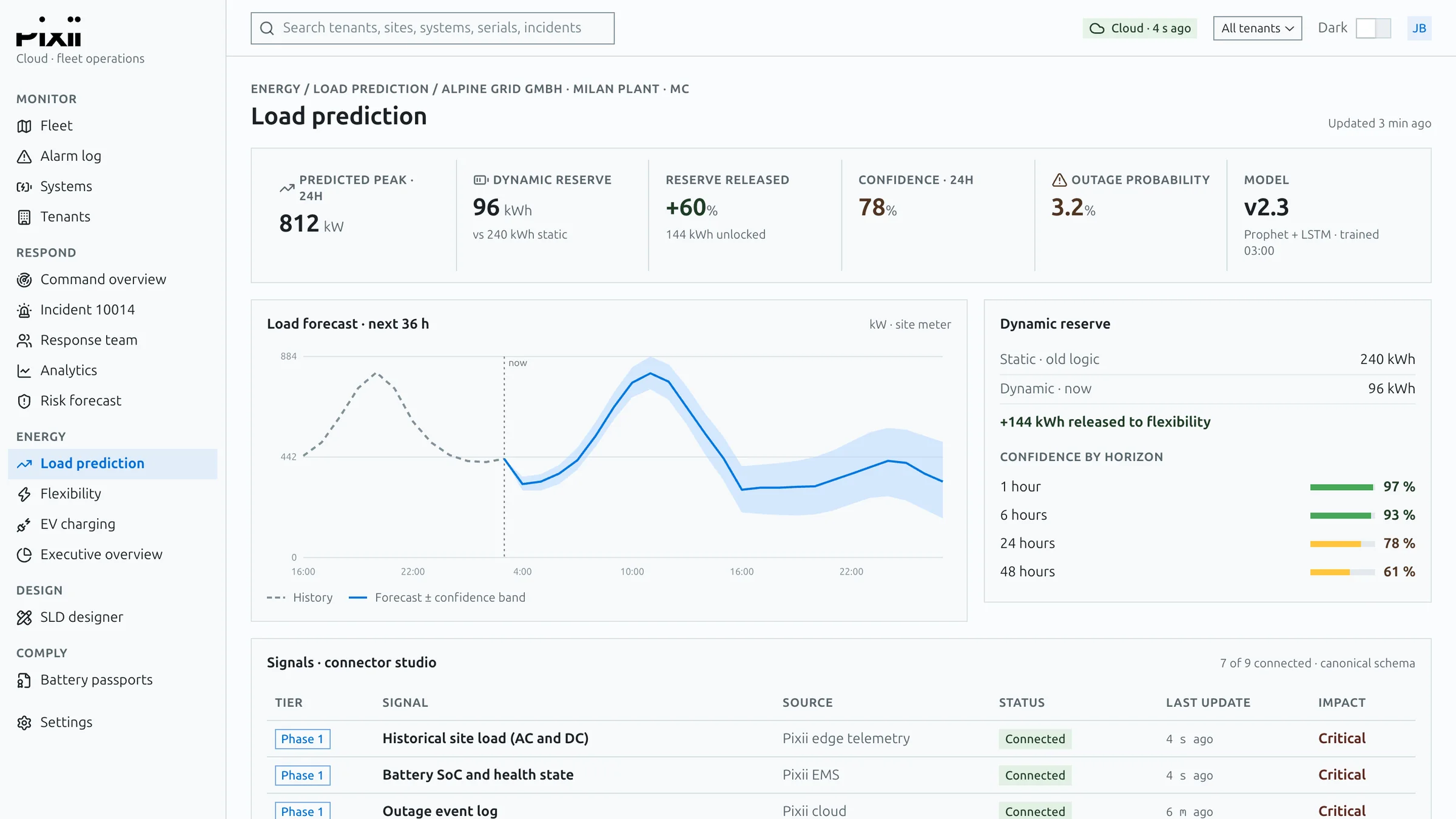
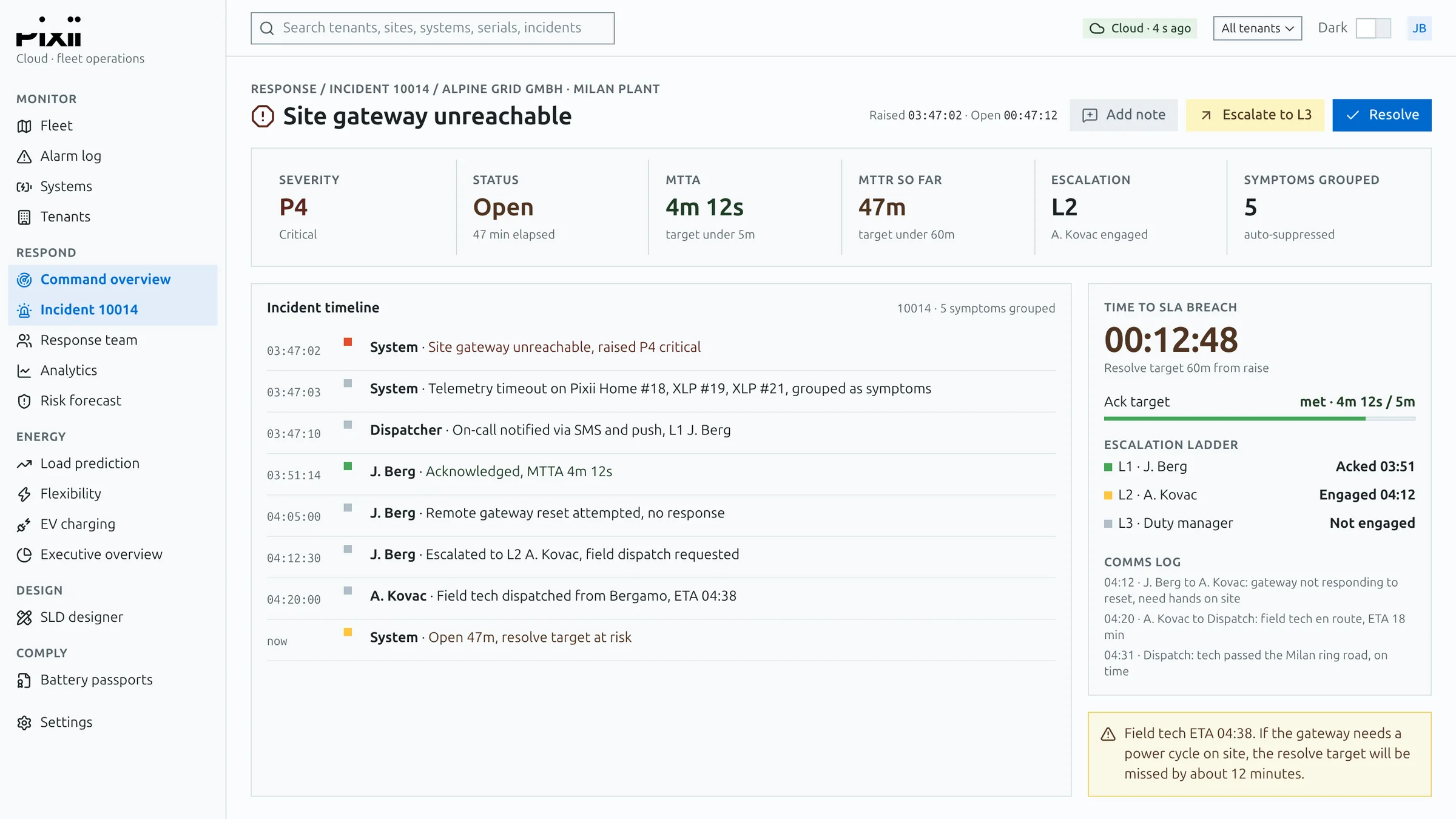
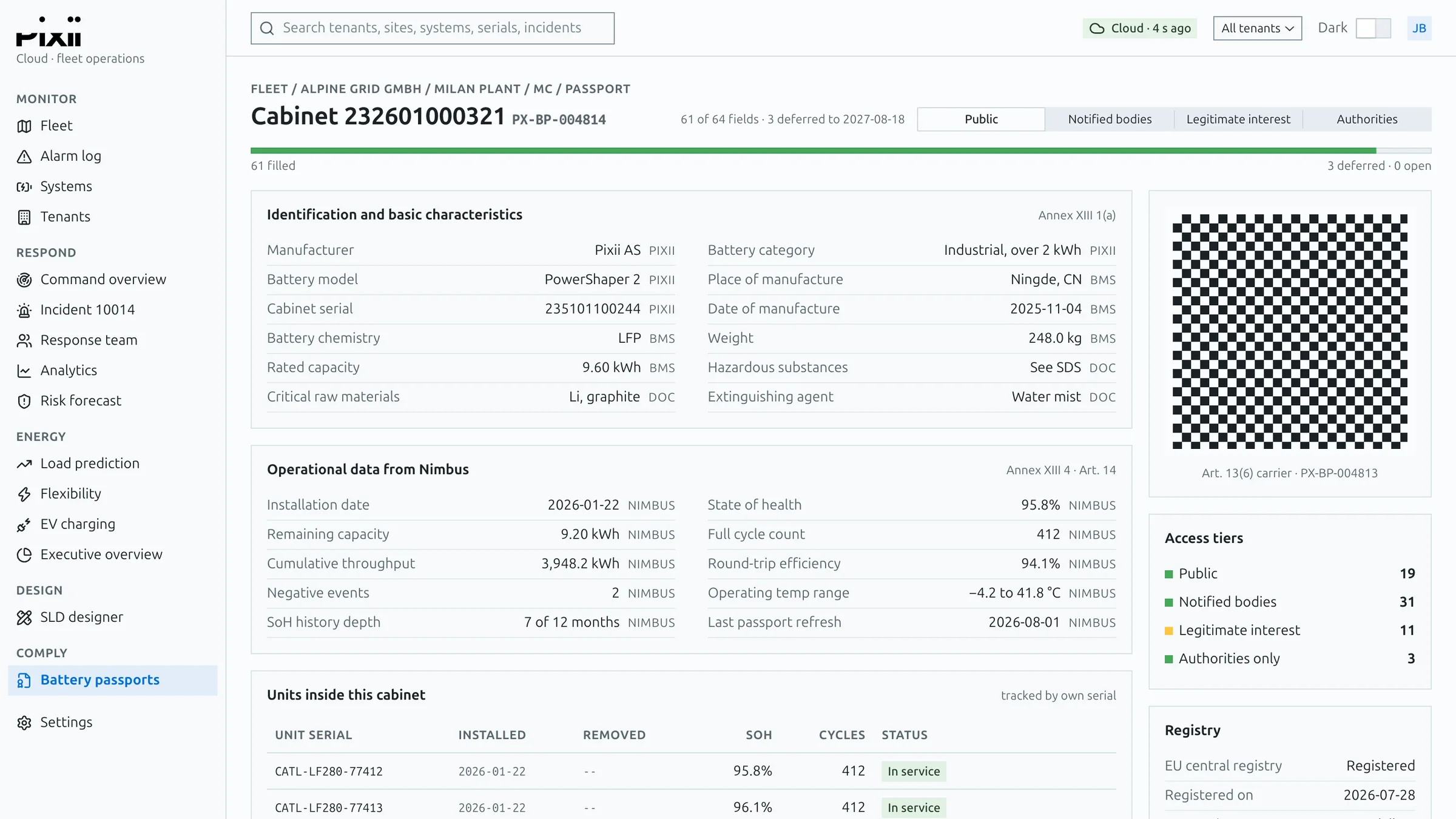
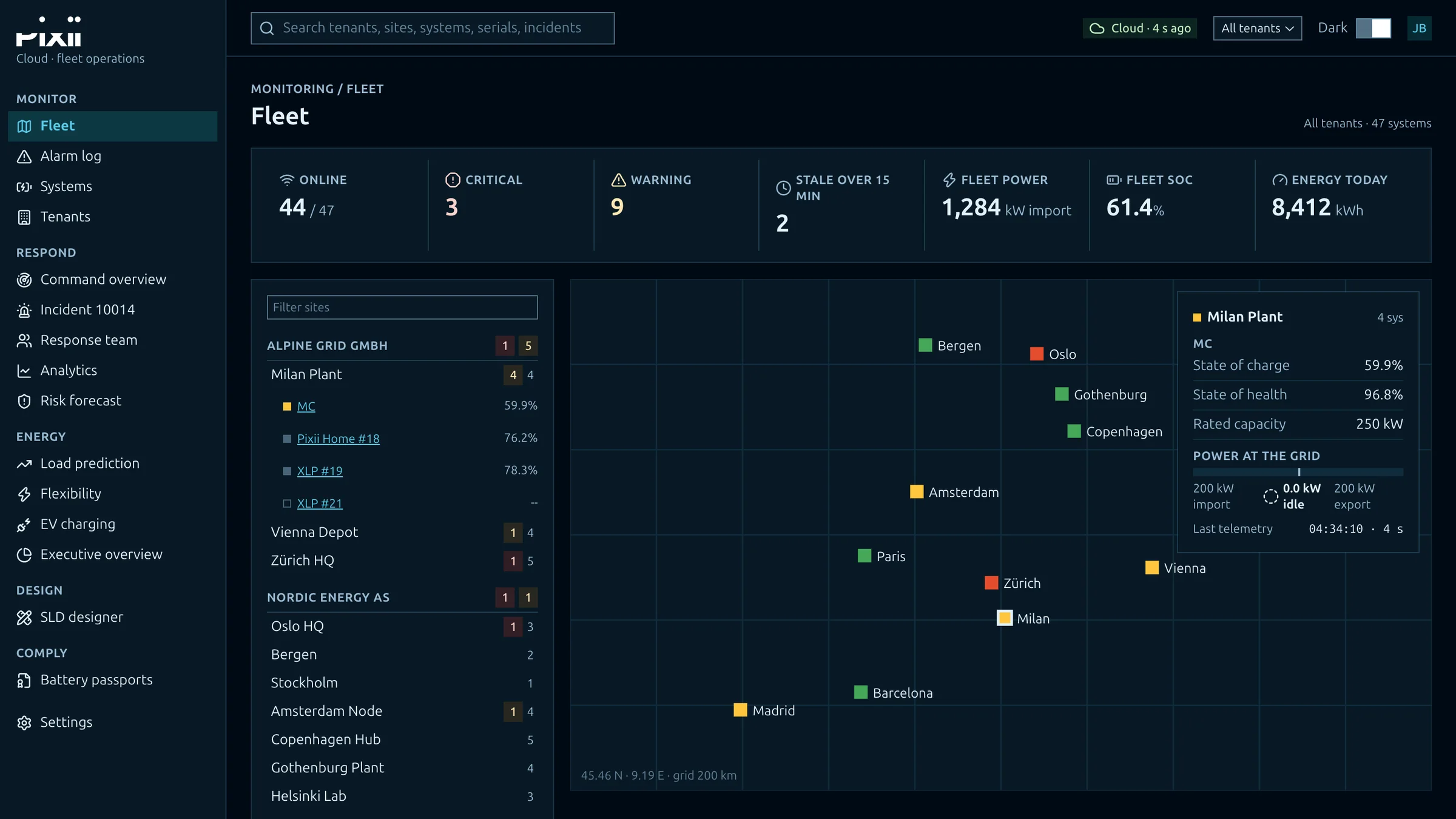
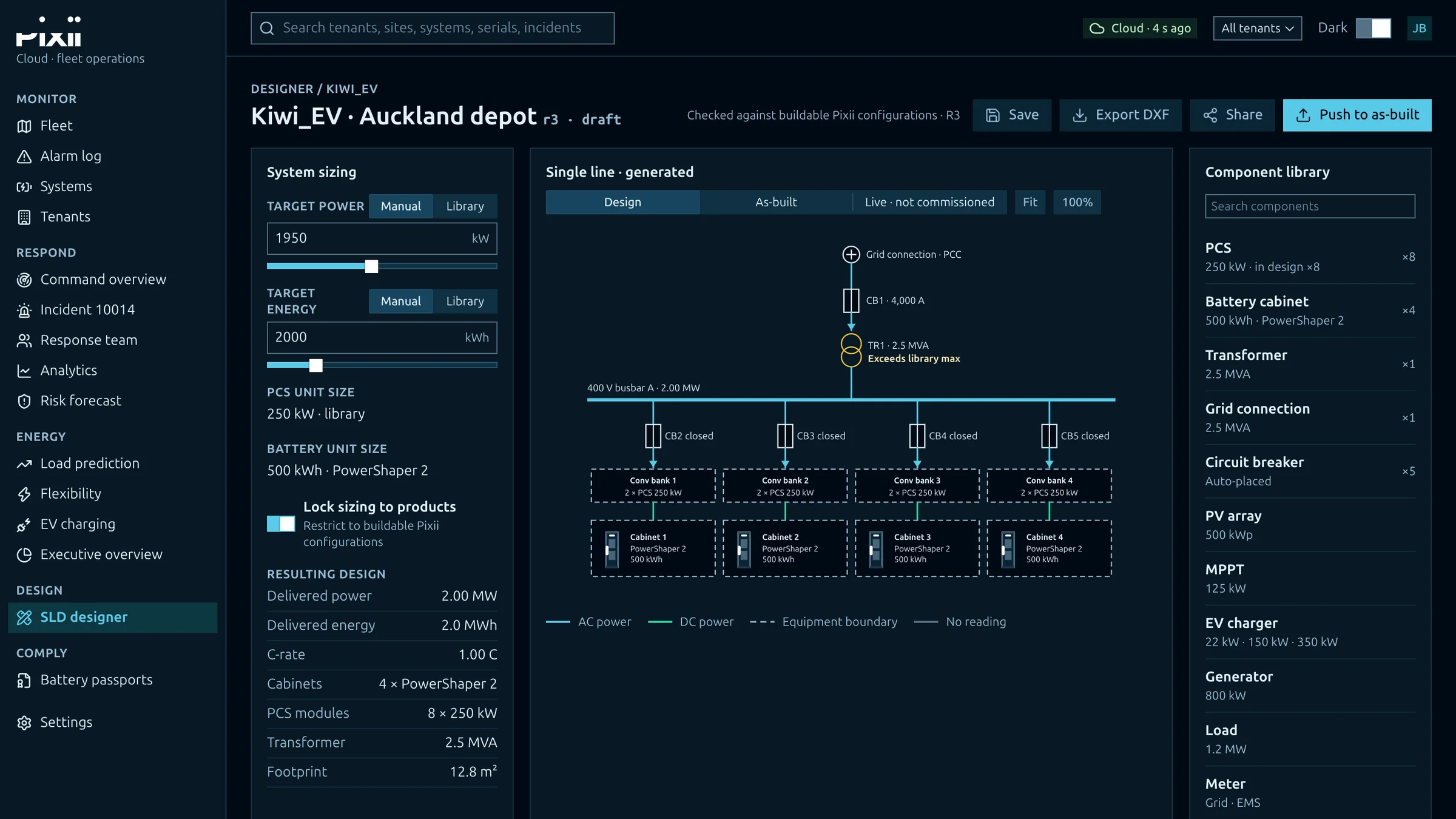
The fleet dashboard in light mode: systems online, alarms, fleet power and a map of sites across Europe. The executive overview: availability, value created, CO2 avoided and a twelve-month value chart. The single-line designer: system sizing on the left, a generated single-line diagram in the middle, a component library on the right. Load prediction: a 36-hour forecast with its confidence band and the signals feeding it. An incident page: a site gateway unreachable, with its timeline, escalation ladder and time to breach. A battery passport for one cabinet: identification, operational data, the units inside and a QR code. The same fleet dashboard in dark mode. The same single-line designer in dark mode.

Screens

A fleet platform demo built on the same system, in light and dark, with demo data. Every table, chart and control comes from the one package.

Fleet 01 / 08
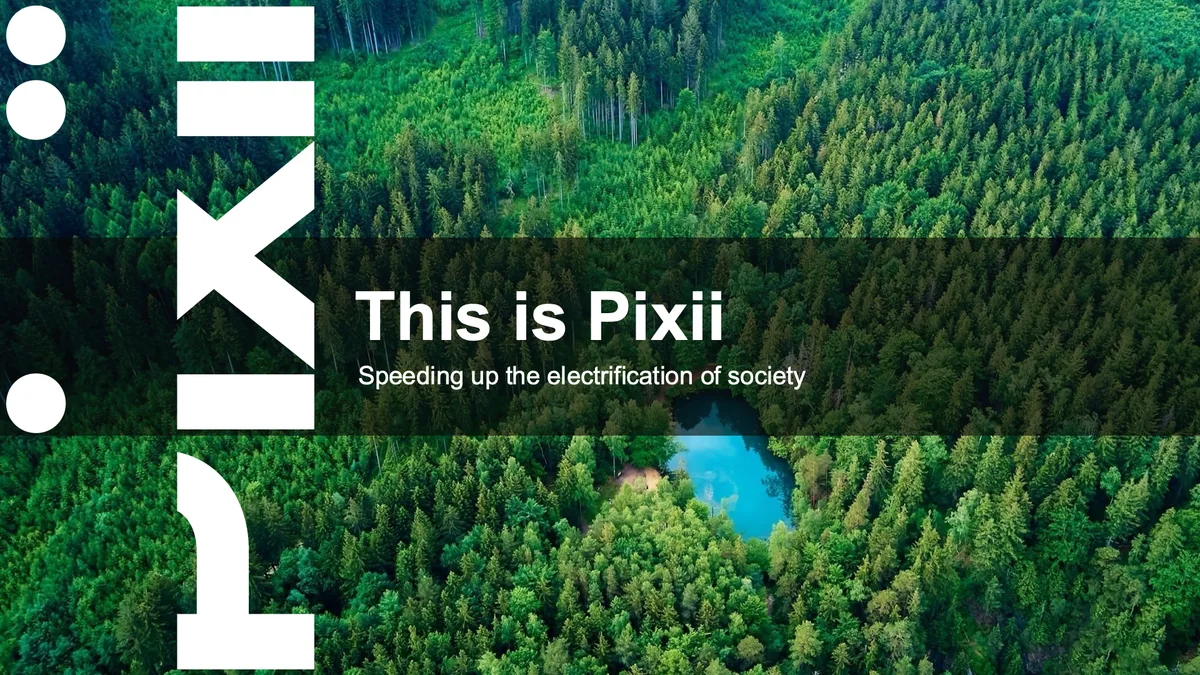
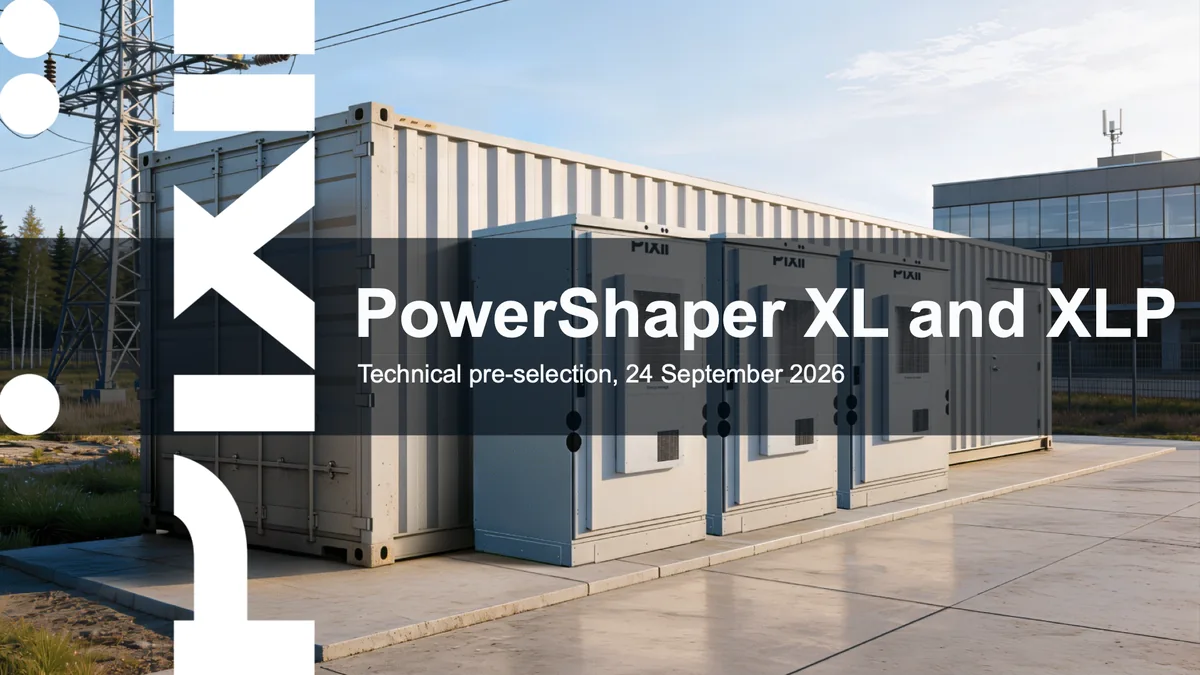
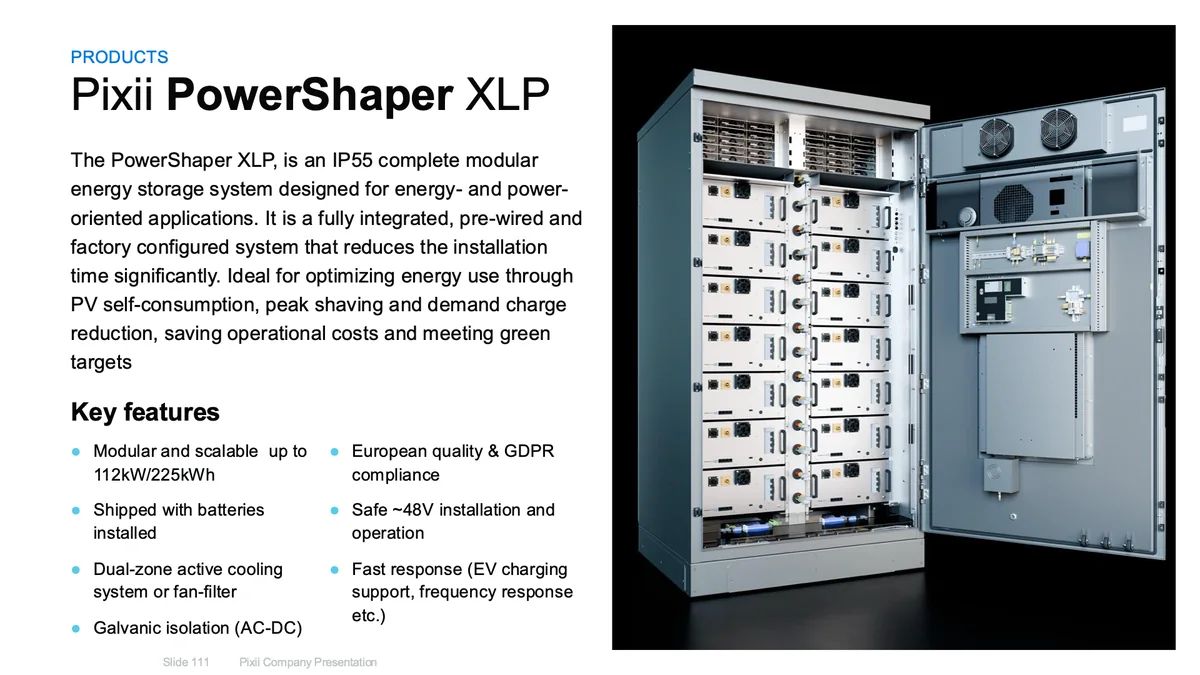
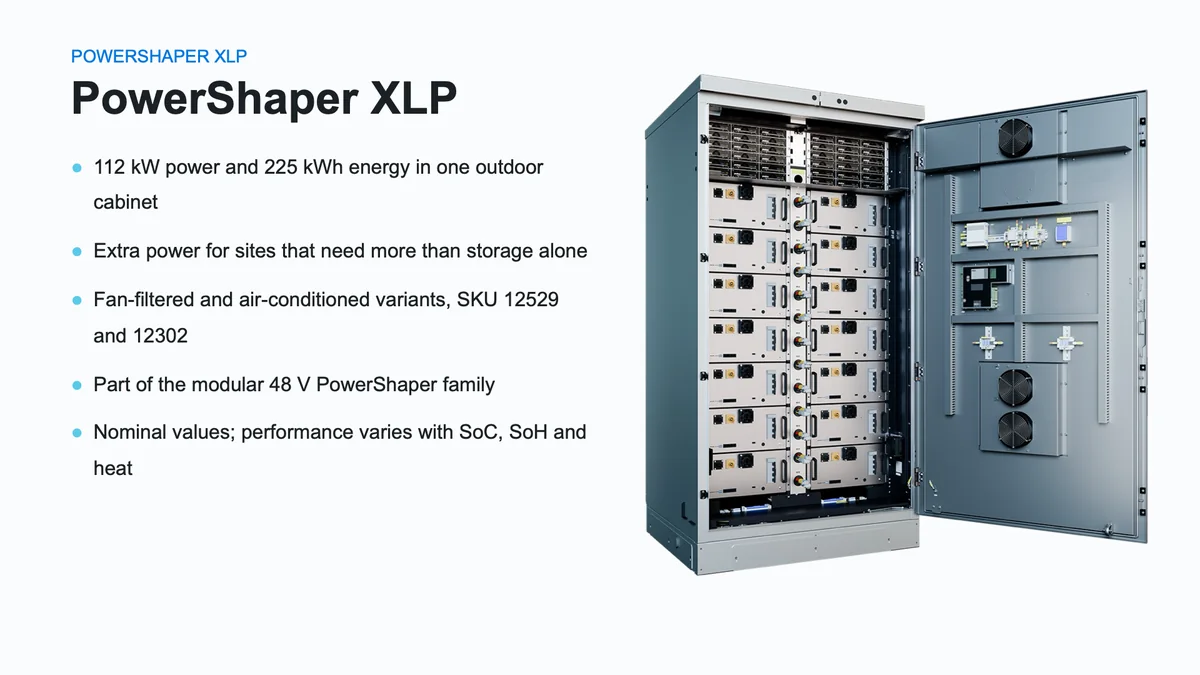
Pixii’s own deck Made by the system A cover from Pixii’s own company deck: This is Pixii, with the wordmark band on the left over a forest photo. A cover made by the system: PowerShaper XL and XLP, technical pre-selection, with the same wordmark band and title band over a photo of Pixii cabinets. A product slide from Pixii’s own deck: Pixii PowerShaper XLP, text on the left, the open cabinet on the right. A product slide made by the system: PowerShaper XLP, the same layout, with the same product photo from Pixii’s brand portal.

The template

The problem to solve for decks: made with AI, they had to keep Pixii’s own PowerPoint template exactly. Left, slides from Pixii’s own deck. Right, the same layouts made by the system, with the right product photo pulled from Pixii’s brand portal.

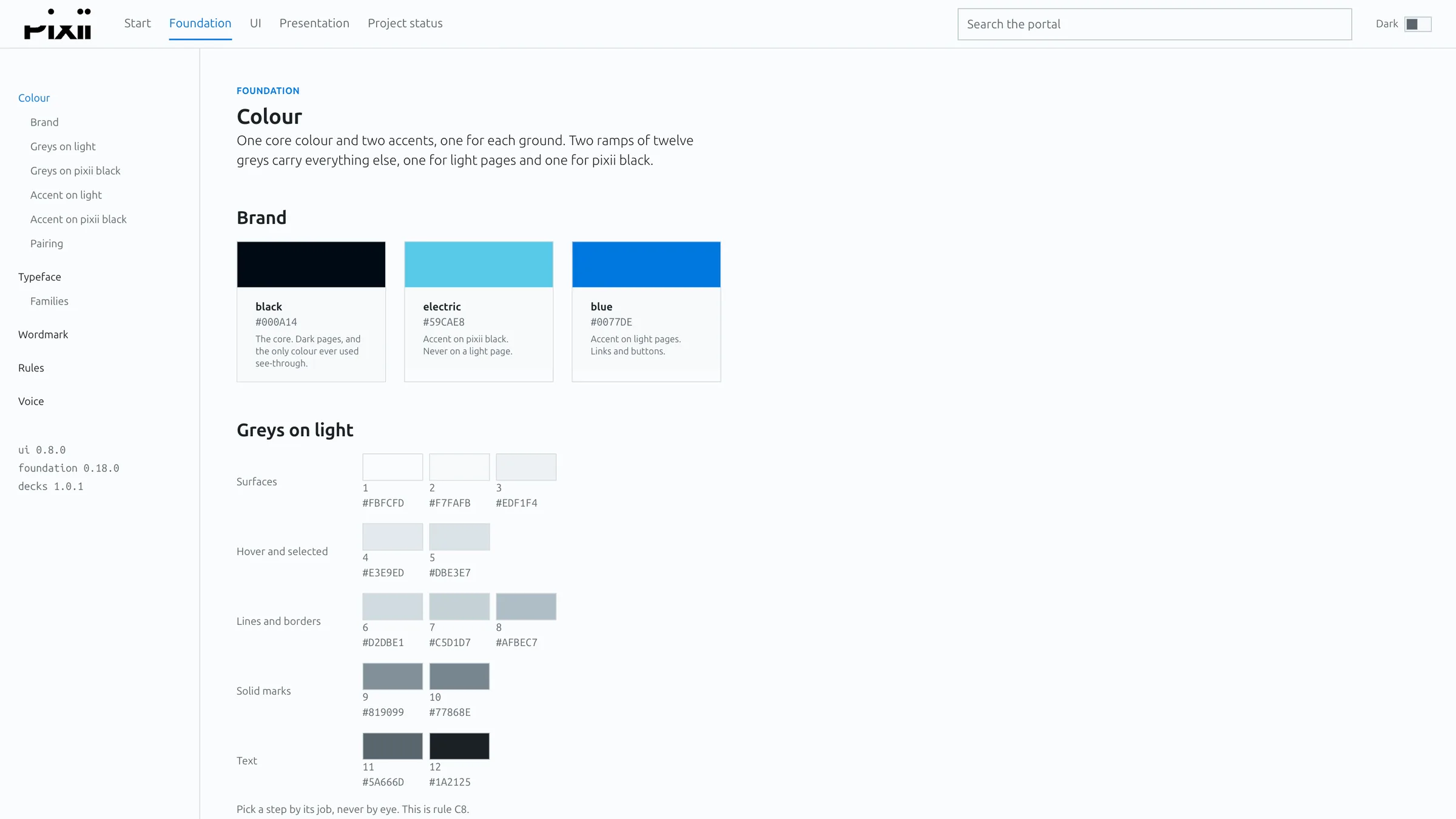
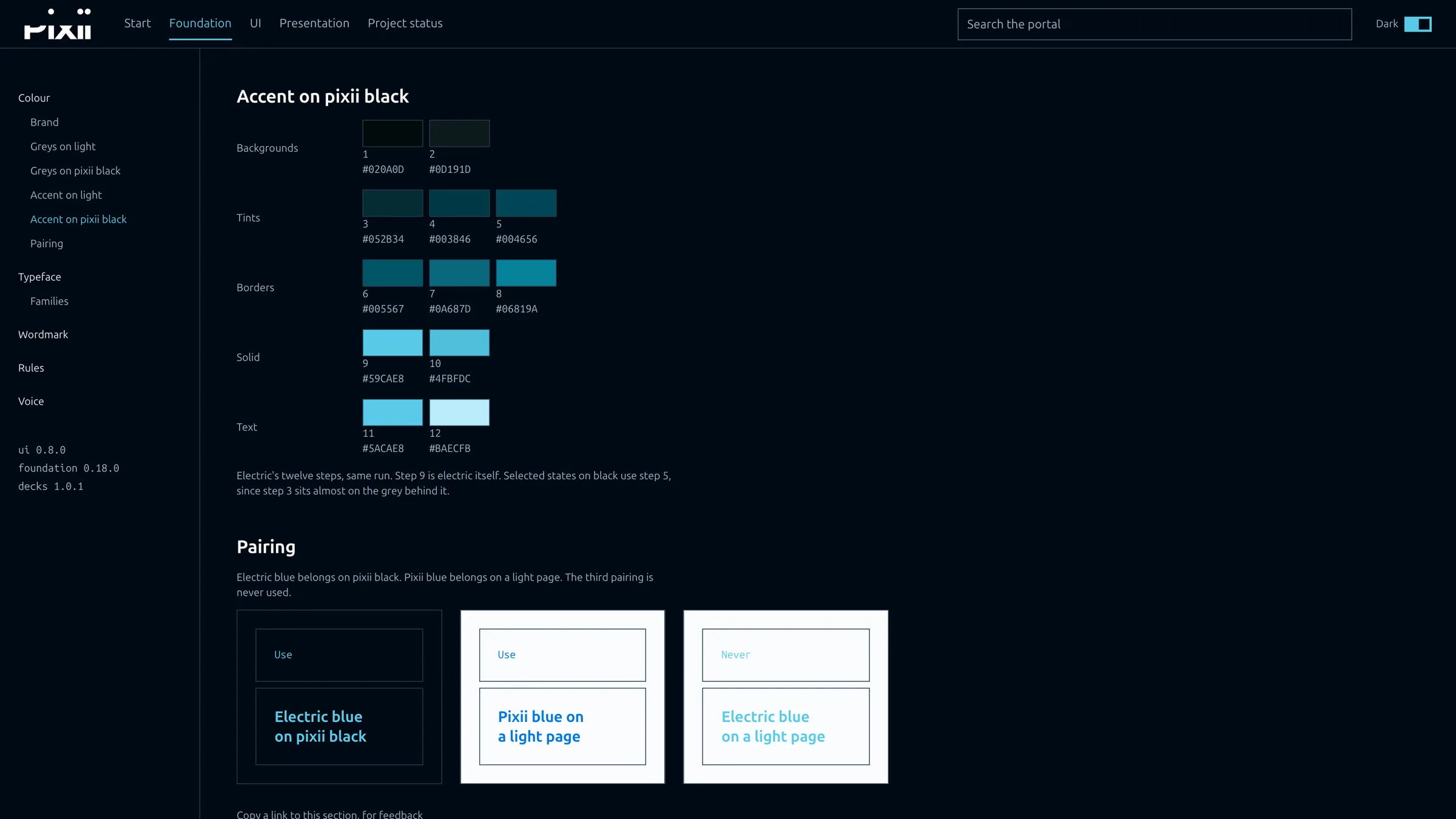
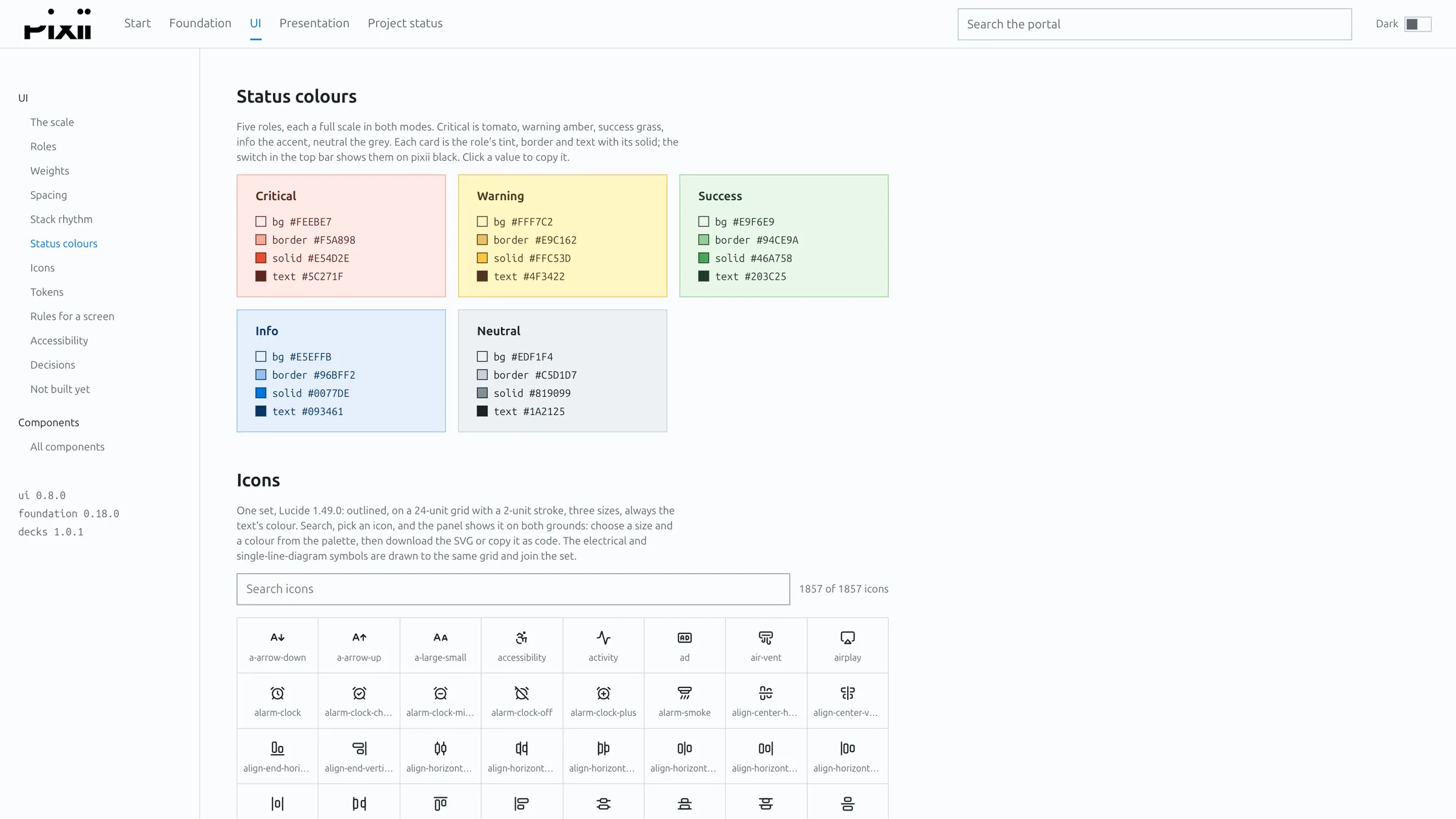
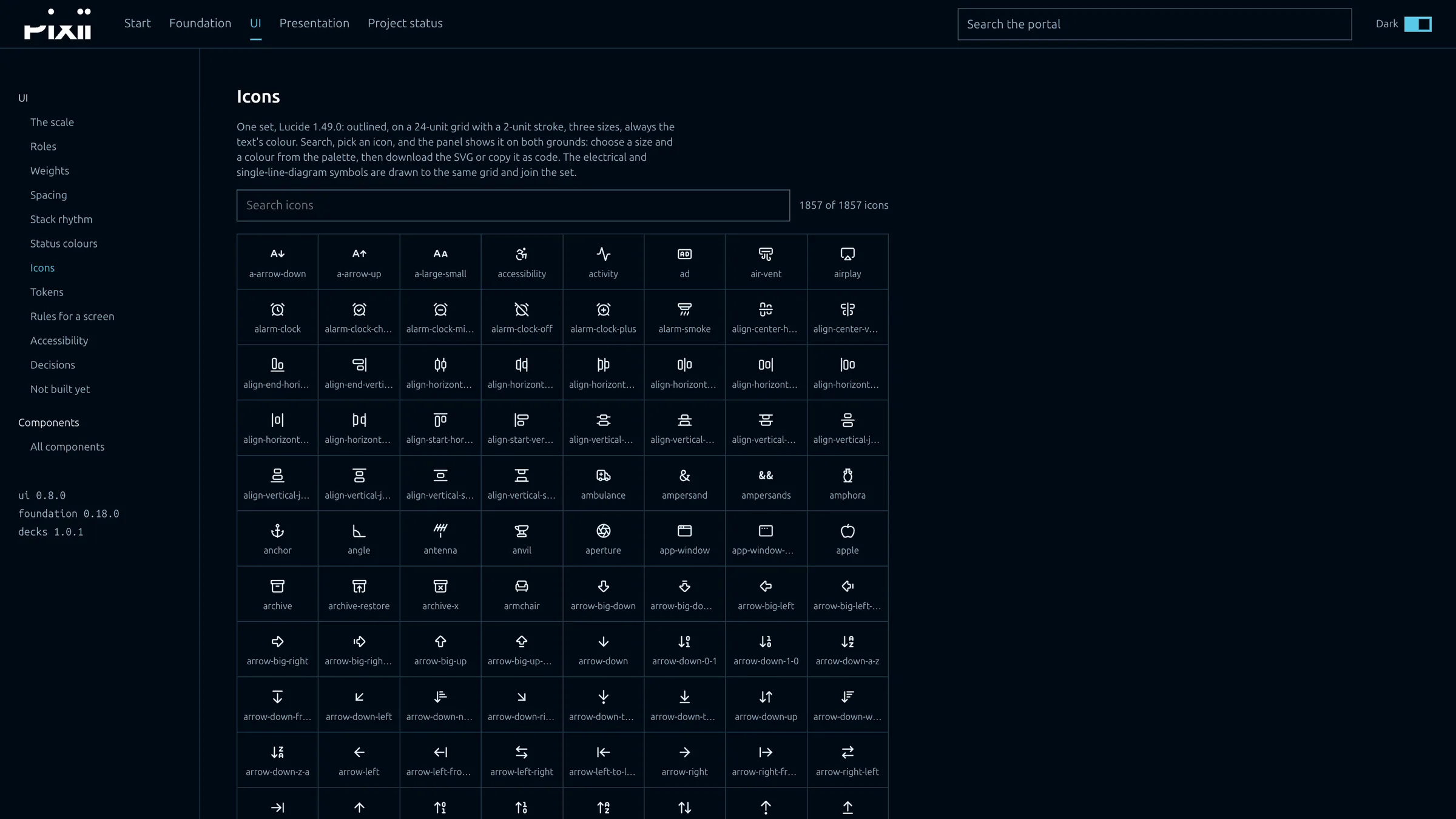
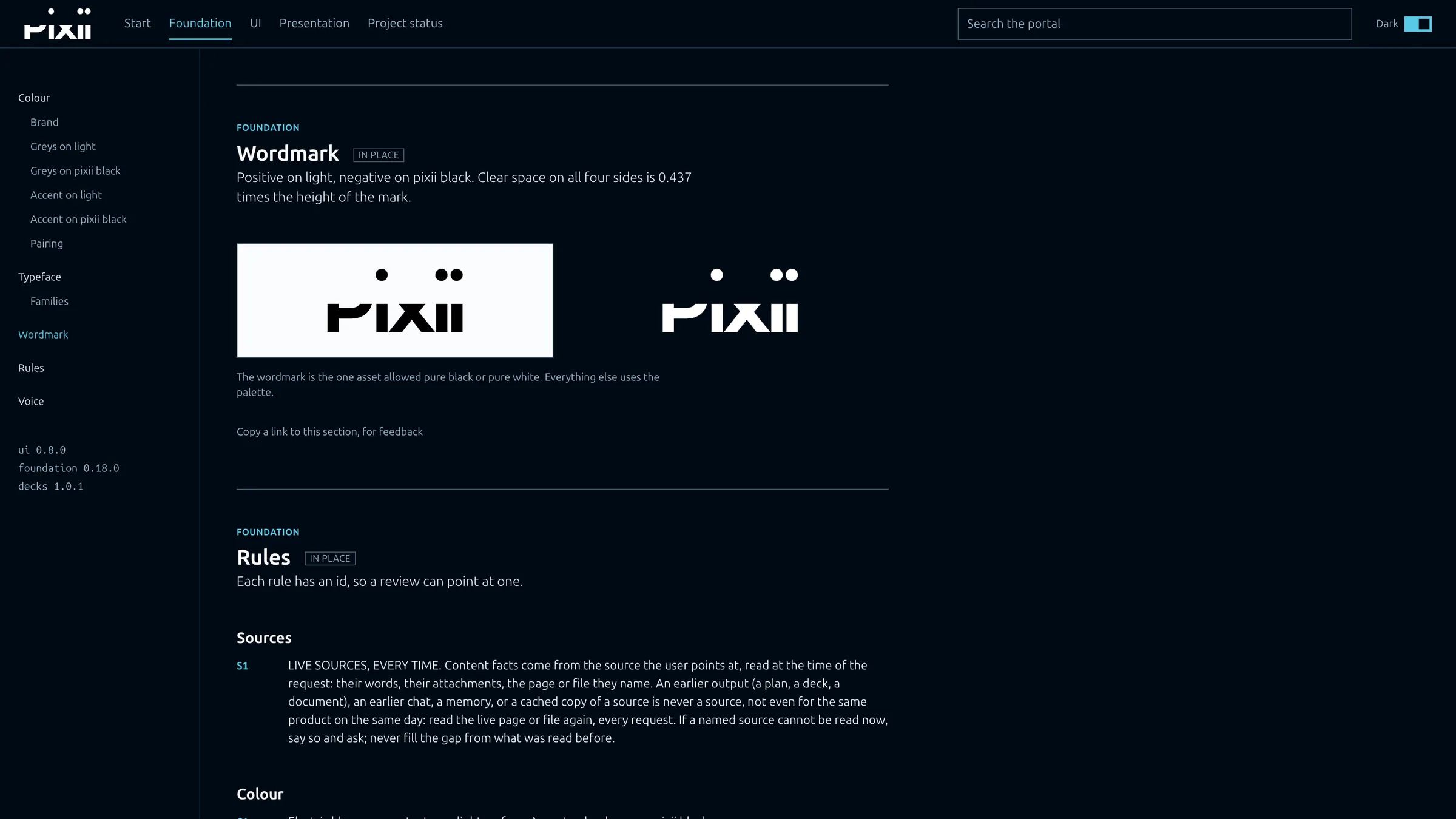
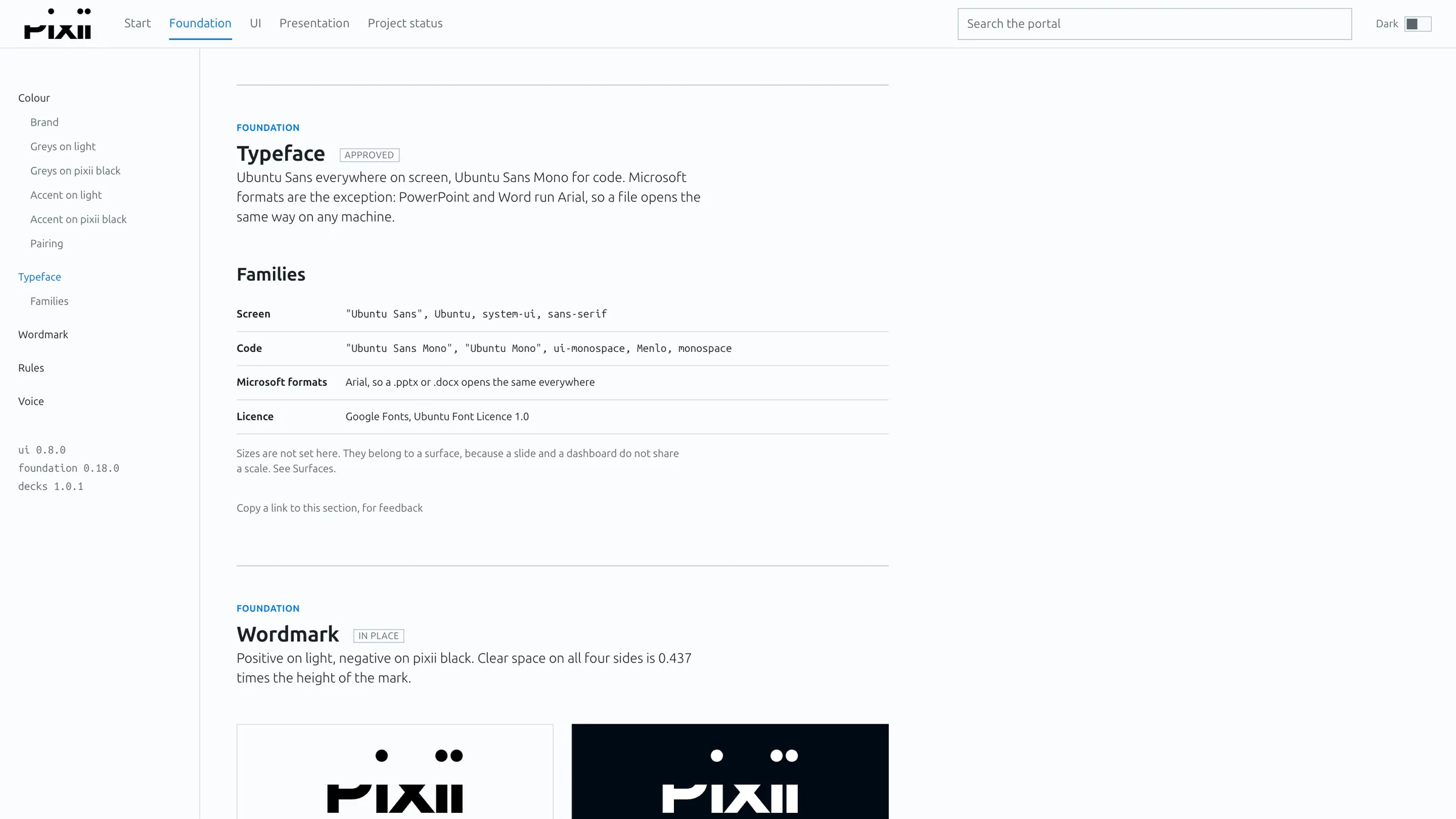
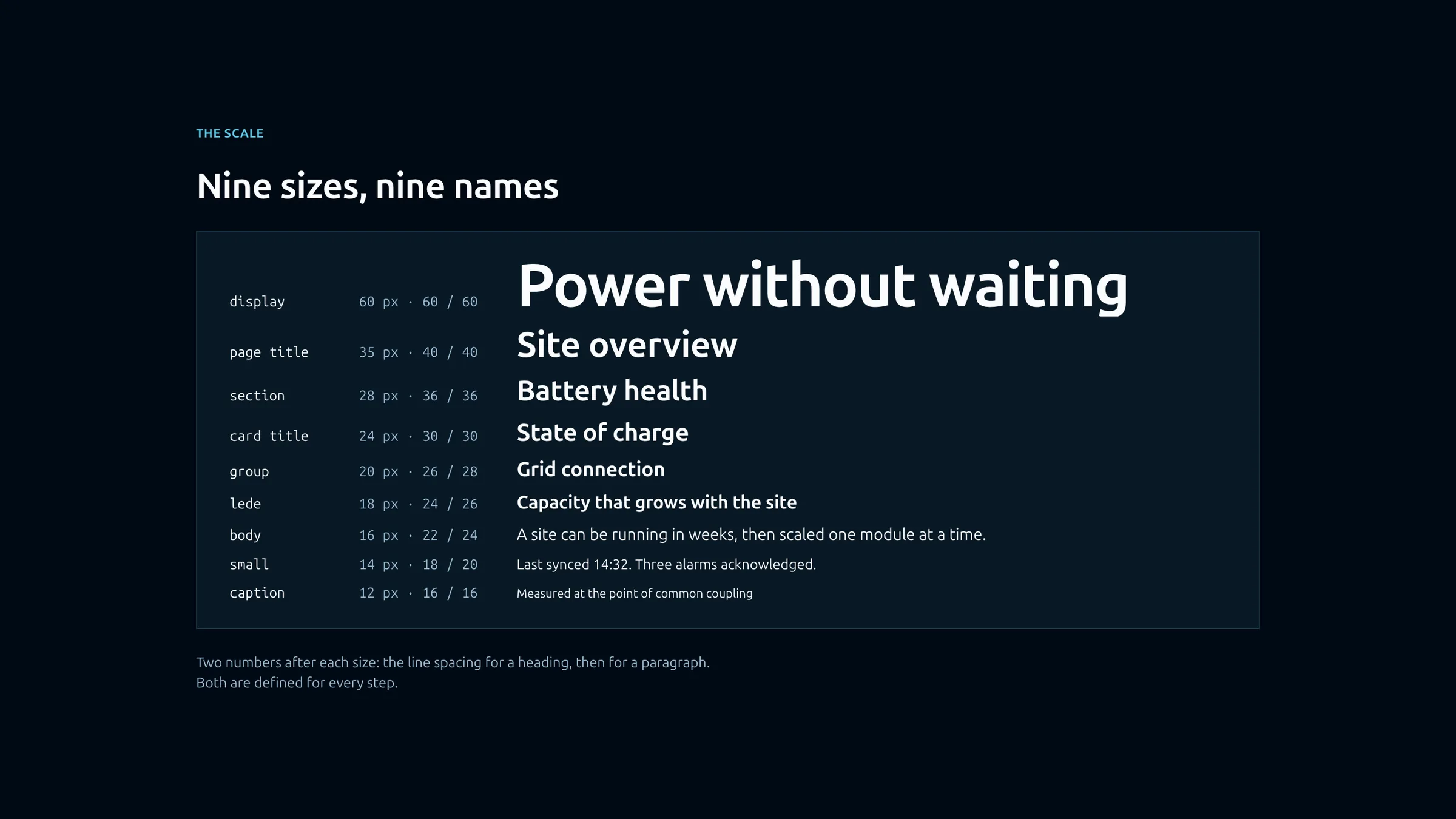
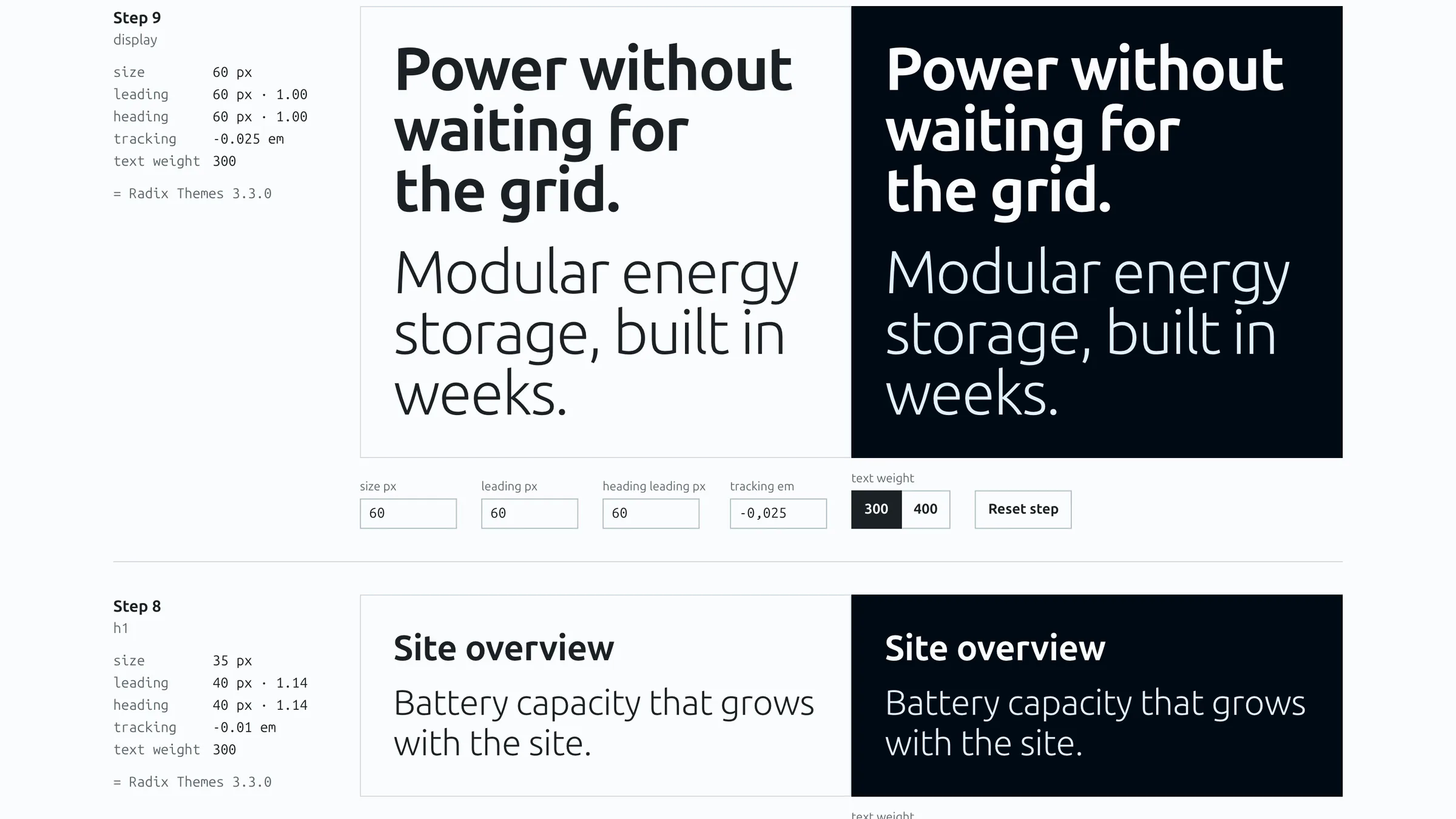
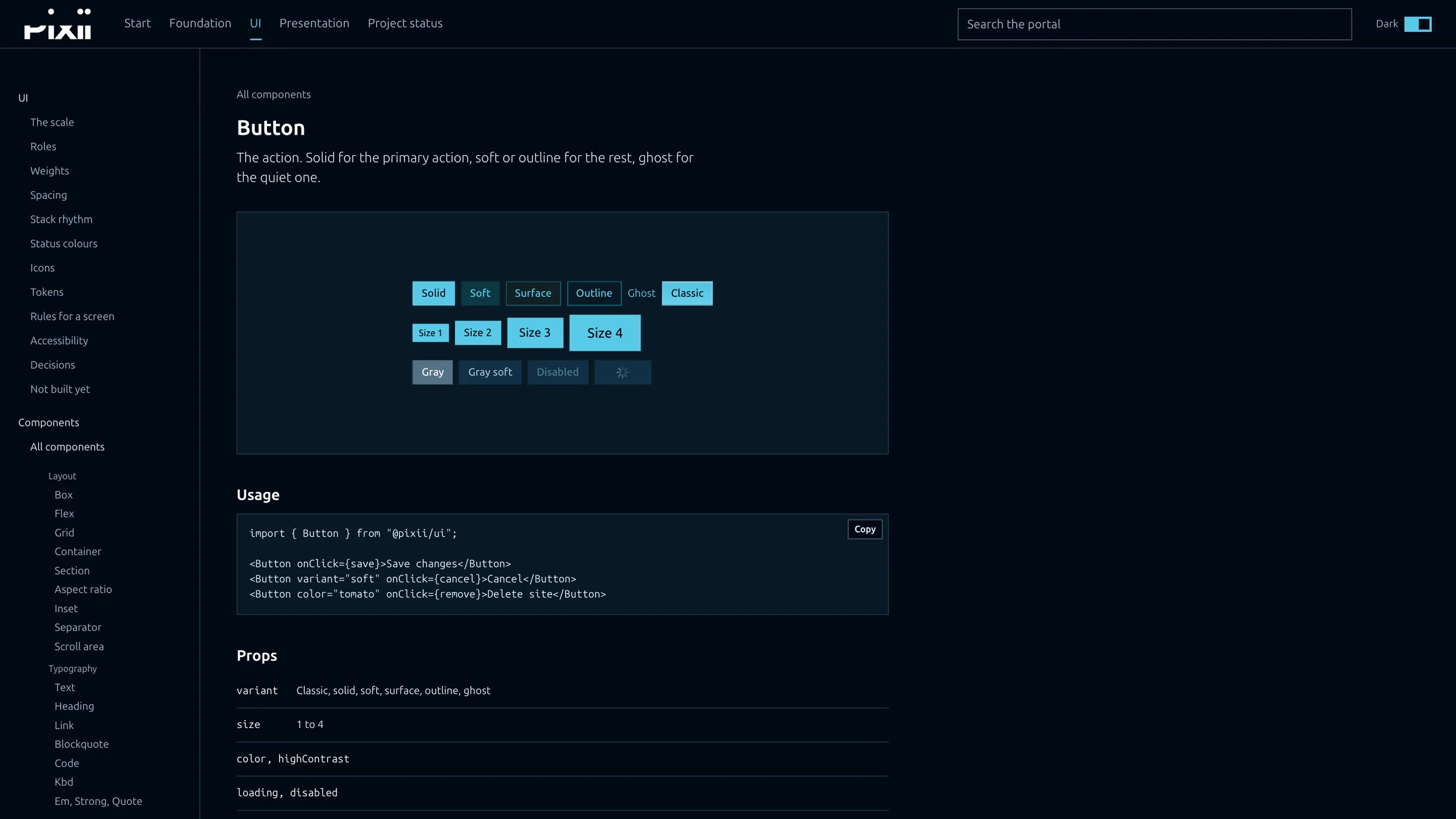
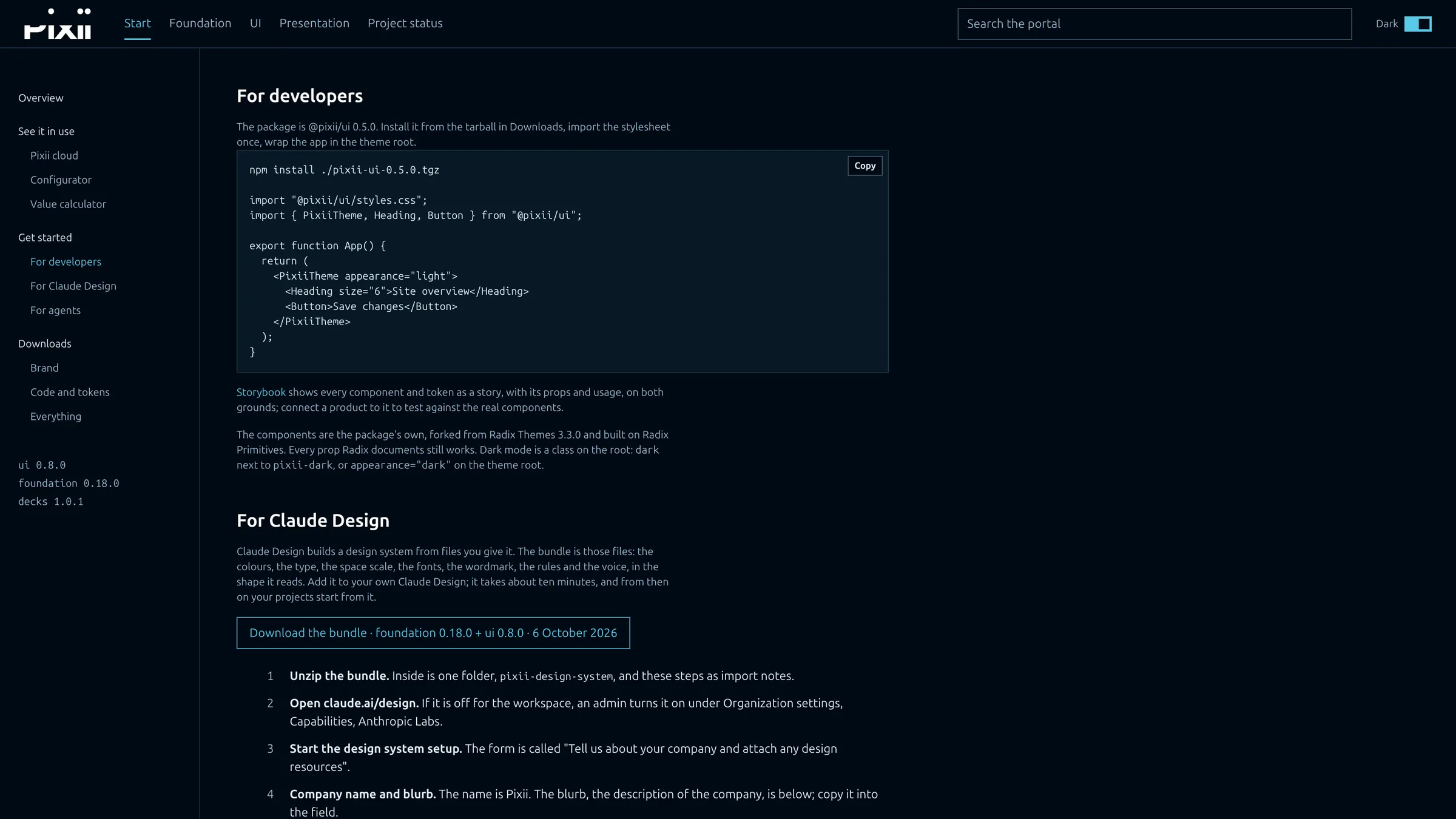
The portal’s colour page on a big screen: the side nav, the three brand colours and the grey ramp for light pages. The electric ramp on Pixii black, and the three allowed pairings. The status colours, each with background, border, solid and text, above the icon set. The icon set, searchable, with every icon named. The wordmark, positive and negative, above the numbered rules. The typeface and font families for screen, code and Microsoft formats, above the wordmark. Nine sizes, nine names: the type scale with a sample line for each step. The type specimen: the same lines in light and on Pixii black, with controls for each step. A live component page: the buttons rendered from the package, how to use them and their props. Getting started for developers and for Claude Design.

The portal

The brand portal. Colour, type, the wordmark, the rules and the live components, in one place that people, code and AI all read.
Brand colours 01 / 10